![]() |
||||||||
|
||||||||
![]() |
![]() |
|||||||
![]() |
||||||||
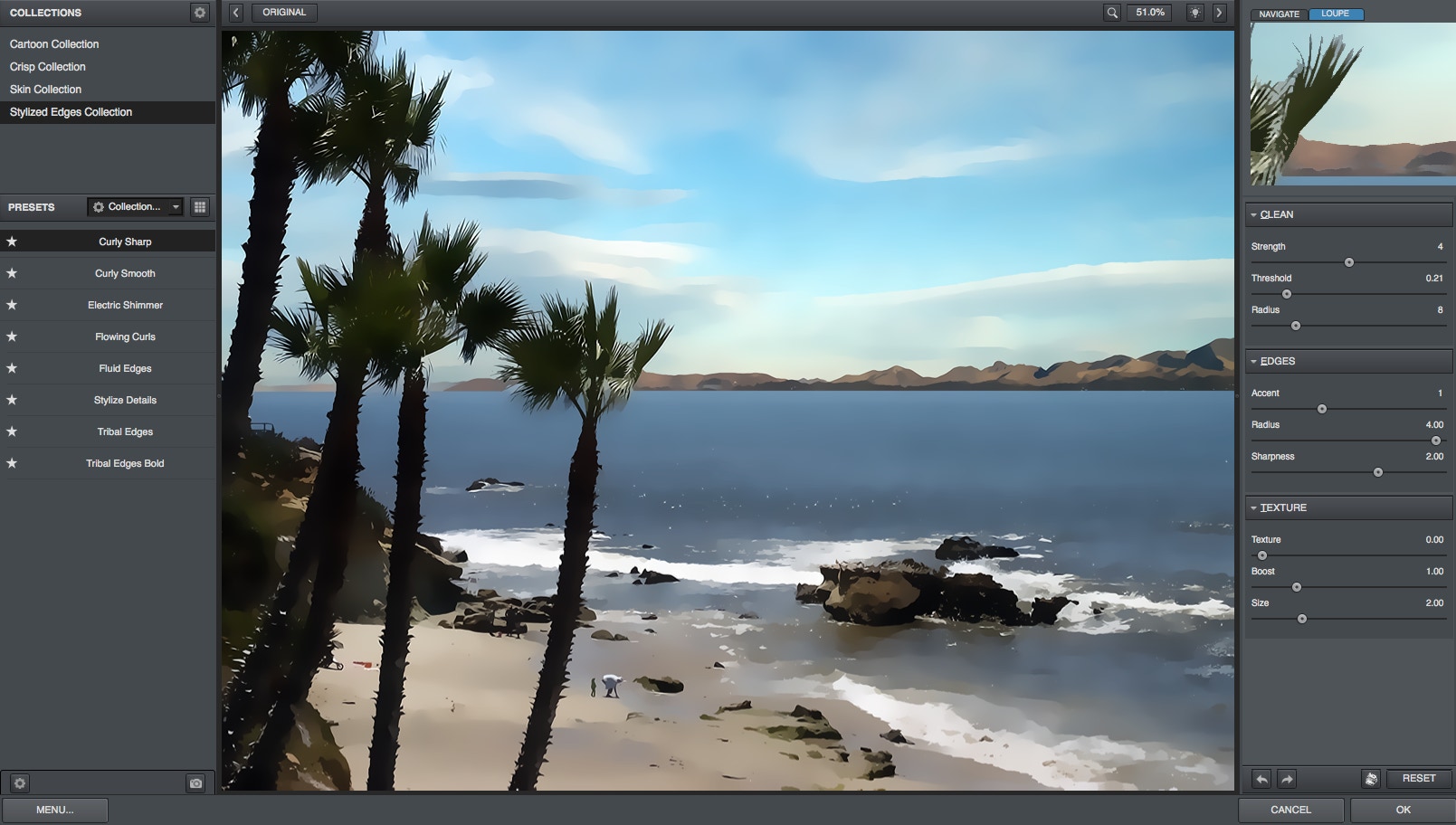
| Take control of the extensive smoothing capabilities of the new Topaz Clean 3 to add gripping one-of-a-kind enhancements to any photo. Experience a wide range of effects from highly effective edge sharpening to graceful artistic effects that leave viewers breathless. Smooth and unique edge manipulation Topaz Clean's state-of-the-art edge algorithms with integrated smoothing capabilities make it ideal for high-quality sharpening, but why stop there? Give images fantastic and inimitable edge effects that adds an extra punch to the photo. The careful application of Topaz Clean can make the difference between a decent photo and a true knockout. Highly selective detail reduction Take unprecedented control over the highly precise manipulation of detail. Choose the nature of desired detail and let Clean do the rest. Clean only removes medium-sized discolorations and blotches while preserving major facial features and tiny but important skin detail. Artistic detail flattening Intentional artistic over-application of Clean's innovative smoothing function can create an image that pops right off the page. Clean preserves the contours and overall image integrity while optimally removing the less-desired details. Presets architecture The fully-featured Presets architecture makes it easy to take full advantage of the creative power that Clean puts in your hands. Applying a preset to your image is as simple as clicking the preview. The extensive collection of included presets range from mild adjustments to deep enhancements, all of which can serve to jump-start any photo enhancement. In addition to the included default presets, Clean also gives the option to save your own individual presets and share them with your friends. Many online Topaz communities also pass around widely-used custom presets. System requirements Clean supports both 8-bit and 16-bit RGB color modes Clean is fully compatible with Photoshop CS4 on both Mac and Windows. It is also fully compatible with Windows 64-bit Photoshop CS4. Clean is a smart filter and supports non-destructive editing by using Photoshop smart objects. Clean is completely optimized for computers with multiple CPUs for faster processing. |
||||||||
![]() |
||||||||
![]() |
||||||||
![]() |
||||||||
![]() |
||||||||
![]() |
||||||||