![]() |
||||||||
|
||||||||
![]() |
![]() |
|||||||
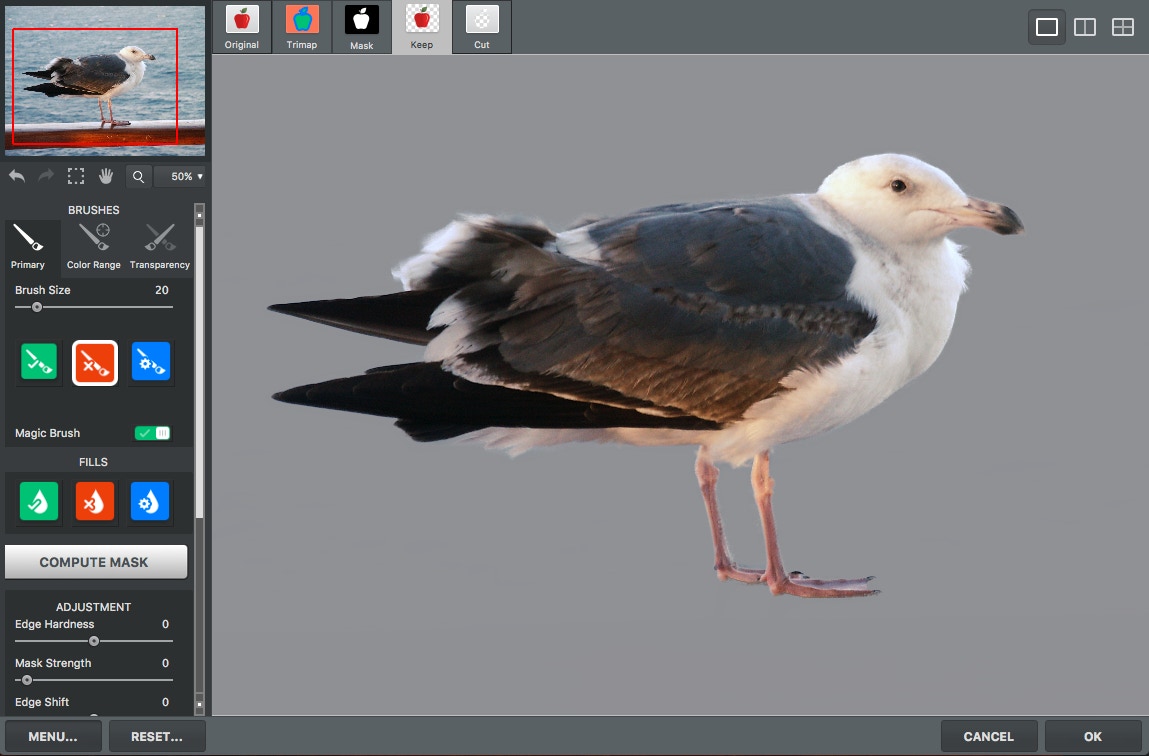
| Topaz ReMask 2 is specifically engineered to supercharge the masking and extraction workflow for photographers and designers within Photoshop. Other masking tools - both within Photoshop and other third party filters - require intricate brushing, sampling, and refining for a detailed mask. ReMask, on the other hand, does all the heavy lifting while requiring a minimum of user input. Step 1: Run ReMask Easy - just access the ReMask plug-in like any other. The ReMask user interface offers a powerful and intuitive way to work on masks. Step 2: Create initial mask Make your first mask within literally seconds of opening. Sometimes this initial mask is good enough and you can stop here. Step 3: Refine if necessary If your mask isn't perfect at first, refinement is fast and effective. The Topaz Magic Brush technology makes extraction refinement a breeze. ReMask can also take advantage of the built-in Photoshop layer mask feature. If it detects that the layer in Photoshop contains a layer mask, ReMask will automatically save the mask directly to the layer mask instead of removing any pixels. You can even re-import the layer mask back into ReMask, which will detect and re-use the layer mask's contents. This full layer mask compatibility very effectively streamlines the Photoshop workflow. Easily Extract Intricate Image Elements ReMask's newer-generation extraction technology retains higher levels of masking detail. Images with intricate details are traditionally hard to create effective masks for. ReMask quickly and painlessly extracts these details in the subject without requiring much user input. It does this by using the areas specified by the user in the tri-map to keep and extrapolates that information to the blue areas. It uses a variety of kinds of image information including color, intensity, and pattern-based processing. It also finishes processing in mere seconds for most images. Recent Technology = High Speed + Great Quality Like many Topaz products, ReMask's capabilities are only made possible through the very latest developments in image enhancement technology. A masking tool like ReMask would be literally impossible back in 2007, for instance. ReMask works by analyzing the information in the user-created tri-map and comparing it to the original image to accurately determine what to keep and what to remove in the image. The tri-map serves three purposes in ReMask: Green tells ReMask what areas to retain in the image. ReMask then compares these areas with the original image and can accurately determine the nature of the "desired" areas based on many image characteristics. Red tells ReMask what to remove in the image for sure. ReMask then determines the nature of the "undesired" areas using this information. Blue tells ReMask which parts of the image to process. ReMask extrapolates the data from the green and red parts of the image to figure out the blue parts with a high degree of accuracy. The resulting mask can then be easily adjusted or refined using native Photoshop tools or inside ReMask itself. System requirements: ReMask supports both 8-bit and 16-bit RGB color modes. ReMask is fully compatible with the latest Photoshop versions on both Mac and Windows. Topaz ReMask is also fully compatible with Windows 64-bit Photoshop CS4. ReMask is completely optimized for computers with multiple CPUs for faster processing. |
||||||||
![]() |
||||||||
![]() |
||||||||
![]() |
||||||||
![]() |
||||||||
![]() |
||||||||