![]() |
||||||||
|
||||||||
![]() |
![]() |
|||||||
![]() |
||||||||
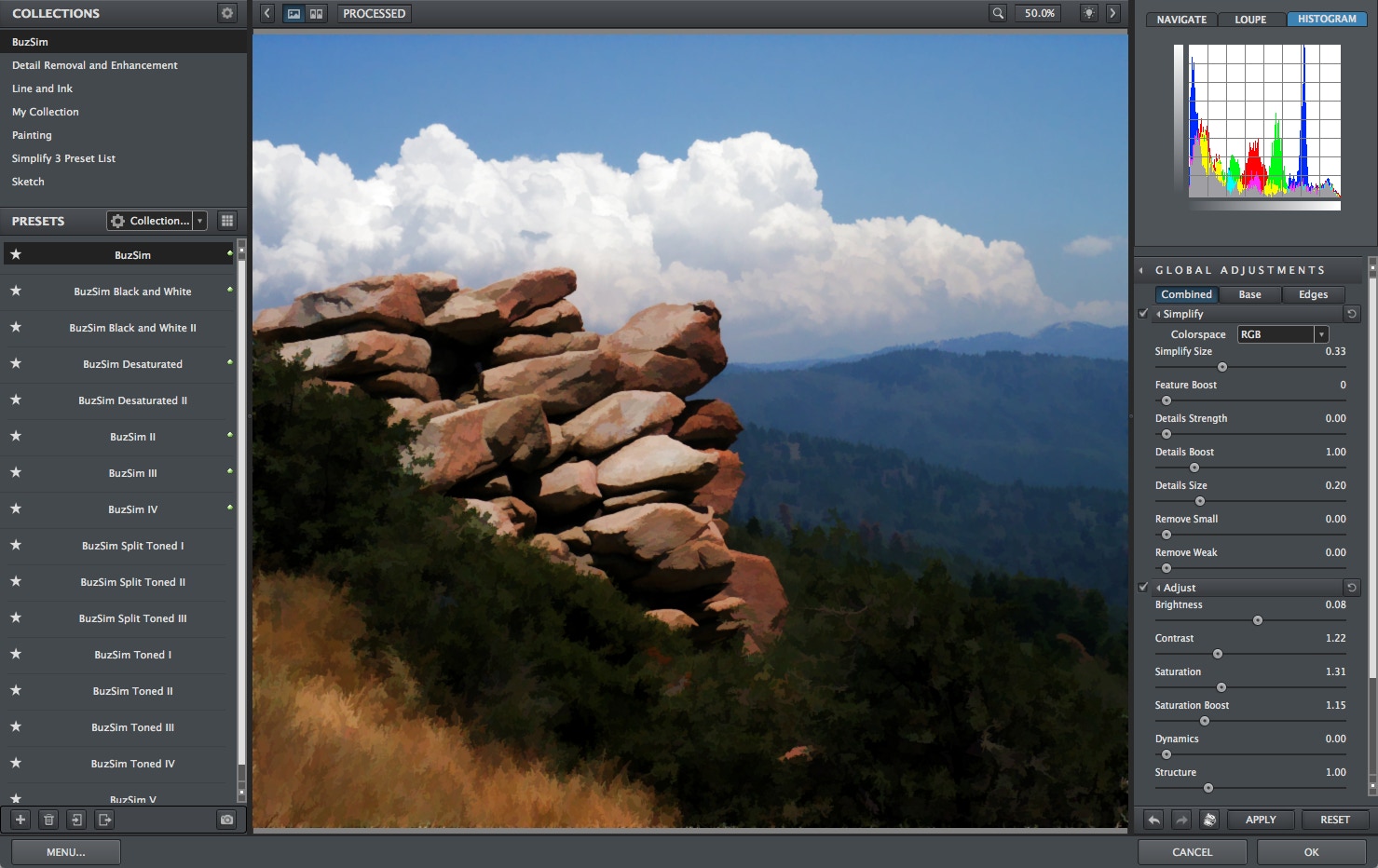
| Above and below: Original plus treated image, with detail at bottom. Topaz Simplify allows you to once again enjoy the simplification of your photos. | ||||||||
![]() |
||||||||
| Turn any regular photo into a masterpiece of art with the sophisticated Topaz Simplify 3 plug-in Photoshop. Blur the distinction between photographic realism and art to give your viewers something truly unique to look at. Topaz Simplified photo pieces are the beautiful result of the marriage between the precision of a digital photographer and the vision of a master. Digital artists have lamented the loss of the buZZ line of plug-ins from fo2PIX, which went out of business a few years ago. But Simplify not only reproduces the buZZ effects, it offers a much more flexible and adjustable interface for additional control. Combining a great photo with great postprocessing can result in a unique piece of photographic art fit to hang on any wall. Simplify opens up new possibilities for any photographer. Easily create a new revenue stream by offering an immediate new line of "artistic" photo options that pays for itself in a single session. Spend just a few extra seconds of post processing to get that perfect blend of photo and art that will positively astonish your customers and viewers. Simplify also has more useful applications than it may let on. In addition to just straight-up photo to art conversion, it can also serve to spice up backgrounds, create underpaintings for digital art conversions, and add a subtle and natural pop to photos. The fully-featured Presets architecture makes it easy to take full advantage of the creative power that Simplify puts in your hands. Applying a preset to your image is as simple as clicking the preview. The extensive collection of included presets range from mild adjustments to deep enhancements, all of which can serve to jump-start any photo enhancement. In addition to the included default presets, Simplify also provides the option to save your own individual presets and share them with your friends. Online Topaz communities also pass around widely-used custom presets. Features Simplify creates artistic simplification and edge effects on regular photos in a unique way Instantly transform your photos into breathtaking art Take control of the artistic process with infinitely customizable and malleable options No drawing skill required - use simple, quick and easy-to-learn sliders Maximize your productivity by taking advantage of a host of included presets and save your own favorite settings for later use Harness a new and unique style that instantly sets you apart as a photographer and artist. Topaz Simplify supports both 8-bit and 16-bit RGB color modes. Topaz Simplify is fully compatible with Photoshop CS4 on both Mac and Windows and is also fully compatible with Windows 64-bit Photoshop CS4. Simplify is a smart filter and supports non-destructive editing by using Photoshop Smart Objects. Simplify is completely optimized for computers with multiple CPUs for faster processing. |
||||||||
![]() |
||||||||
![]() |
||||||||
![]() |
||||||||
![]() |
||||||||