PhotoWhoa guest blog: An Easy Solution to Your Lightroom Struggles

PhotoWhoa is an incredible resource for photographers, with an ever-changing roster of discounted premium video courses, e-books, actions & presets, live trainings and much more. I’ve invited them once again to share information on their latest offerings with you. An Easy Solution to Your Lightroom Struggles Like many photographers, we have a love-hate relationship with Lightroom. Read more about PhotoWhoa guest blog: An Easy Solution to Your Lightroom Struggles[…]


Topaz A.I. Gigapixel vs. PS & ON1 (more tests)

Topaz’ new A.I. Gigapixel has been proving to be extremely popular, with an overwhelming response to its release. In my last blog post I did my first tests with it and was literally amazed at the quality I was getting when upsizing nearly 20-year-old 1-megapixel digital images by 600%. The only thing IMO that would further Read more about Topaz A.I. Gigapixel vs. PS & ON1 (more tests)[…]

NEW! Topaz AI Gigapixel upsampling app (w/unadvertised discount)

The new A.I. Gigapixel from Topaz is being released today as an app for upsizing pixel-challenged images or monster-sizing RAW ones. Beta testers are commenting that it beats the current market leaders in resampling quality. About A.I. Gigapixel From the press release: Topaz A.I. Gigapixel is a standalone application made for batch resizing your images (it Read more about NEW! Topaz AI Gigapixel upsampling app (w/unadvertised discount)[…]

Unadvertised special reminder: All things Topaz

My recent blog post about the new Topaz AI Clear seems to have generated a lot of interest in this new technology! If you’re curious about trying and adding AI Clear to your digital imaging toolbox, please be reminded that while Topaz is not currently advertising a discount code for AI Clear or any of their Read more about Unadvertised special reminder: All things Topaz[…]

Unadvertised special: Topaz AI Clear reminder

REMOVE NOISE SHARPEN DETAIL That’s what the description of the new AI Clear says! I’ve spent a little time with this new Topaz Studio Pro Adjustment today and I concentrated on images that needed help in both of those areas. •But first, please be reminded that Topaz is not advertising a discount code for AI Read more about Unadvertised special: Topaz AI Clear reminder[…]

Topaz Adjust: Maybe all you need? 20% off

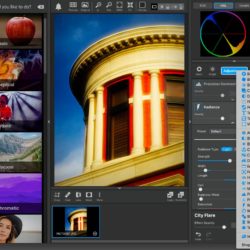
I’ve been a big fan of Topaz Adjust for at least the last decade. Back then, there was not the huge selection of imaging software we see today. In fact, there was a $595 (!) Photoshop plug-in that offered unique but one-trick-pony HDR-like effects for its time and it was quite popular among those who Read more about Topaz Adjust: Maybe all you need? 20% off[…]

Featured: 1300+ Premium Overlays Bundle from PhotoWhoa

My friends at PhotoWhoa offer a constantly changing and seemingly endless supply of photography-related software, presets and training – some free and most discounted. I asked them to write a post about their current featured offer, the 1300+ Premium Overlays Bundle. Before we get started, here is one of my own scenic photos treated with two Read more about Featured: 1300+ Premium Overlays Bundle from PhotoWhoa[…]

Stand alone! No host, no subscription (part 1)

Those of you who are Lightroom users just got another reminder that major developers are moving more of their apps’ functionality to the cloud (paired with subscription services), and many don’t like that for various reasons. Smaller developers have been bucking that trend, freeing their offerings from the Adobe gorilla and still offering you software Read more about Stand alone! No host, no subscription (part 1)[…]

Sticky Flypaper texture overlays for your images

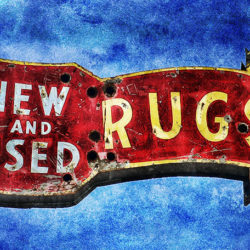
Have you discovered the joy of adding texture overlays to your images? Textures are a quick and easy way to completely change the mood of a scene or to create instant artwork. As a special bonus you can even use them on their own as artistic backgrounds. Jill and Paul over at Flypaper Textures have Read more about Sticky Flypaper texture overlays for your images[…]

I still can’t paint, but I can use DAP in Windows

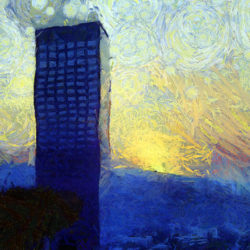
In my last post I showed some examples of turning your photos into artwork using Topaz Impression, which is a cross-platform solution. Today I will show you something for Windows-only (unless you run a virtual machine on your Mac or use a Hackintosh, and I do both 😉 ): Dynamic Auto Painter (DAP). I don’t have Read more about I still can’t paint, but I can use DAP in Windows[…]