
It’s a bit of a busy time in software land as our favorite developers have released or are about to release new versions of their flagship products. In this post we’ll take a quick look at the latest offerings from ON1, who are about to release Photo RAW 2026 in October.

I have been working with the pre-release beta version and have prepared some visuals (below). But before we go any further, please note that only 2 days are left to take advantage of the current pre-order special! You can choose from either license-to-own or subscription options:

If you pre-order ON1 Photo RAW 2026, you don’t have to wait. Get ON1 Photo RAW 2025 today, plus ON1 Photo RAW 2026 the moment it launches next month — all for one price. It’s the best Lightroom alternative with real ownership or subscription flexibility.
New features include:
Add Cinematic Depth Lighting in Seconds
One-Click Subject & Background Masking
Start Every Edit with the Look You Love
Make Your Background Larger Without Losing the Foreground
Turn Tiny, Noisy Images into Huge Photo Enlargements
Get Cleaner Edges with Less Manual Touch-Up
Fix Crooked Buildings Without Losing Image Edge
Stop Fighting Complex Masks — Stack & Combine Them Instead
Customize Your Workspace to Edit Faster
Find Your Favorite Filters & Effects
Turn Ordinary Shots into Art with Double Exposure
Add Realistic Motion Blur Right at Your Desk
How to Perfectly Invert & Color-Correct Negatives When Digitizing Film
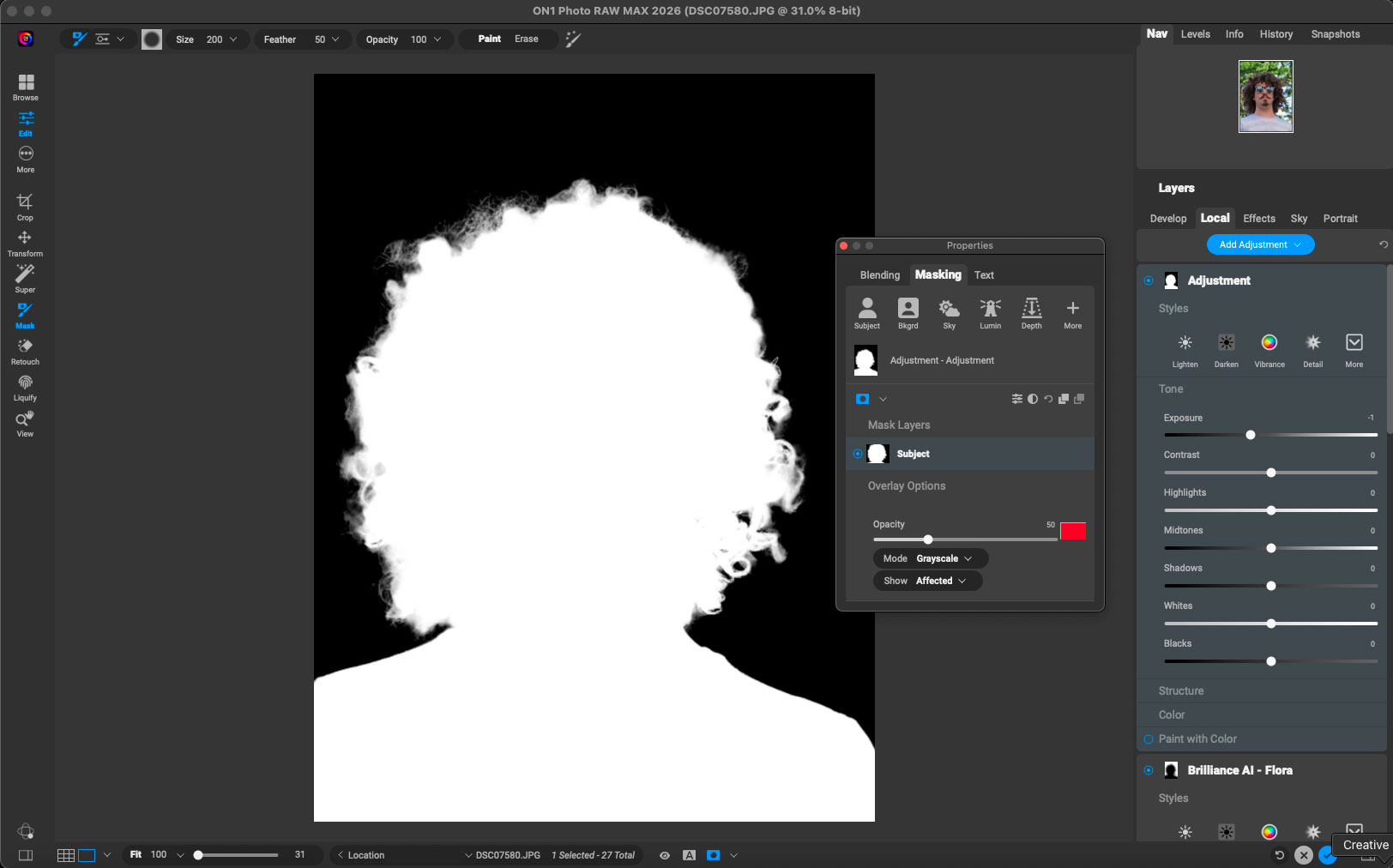
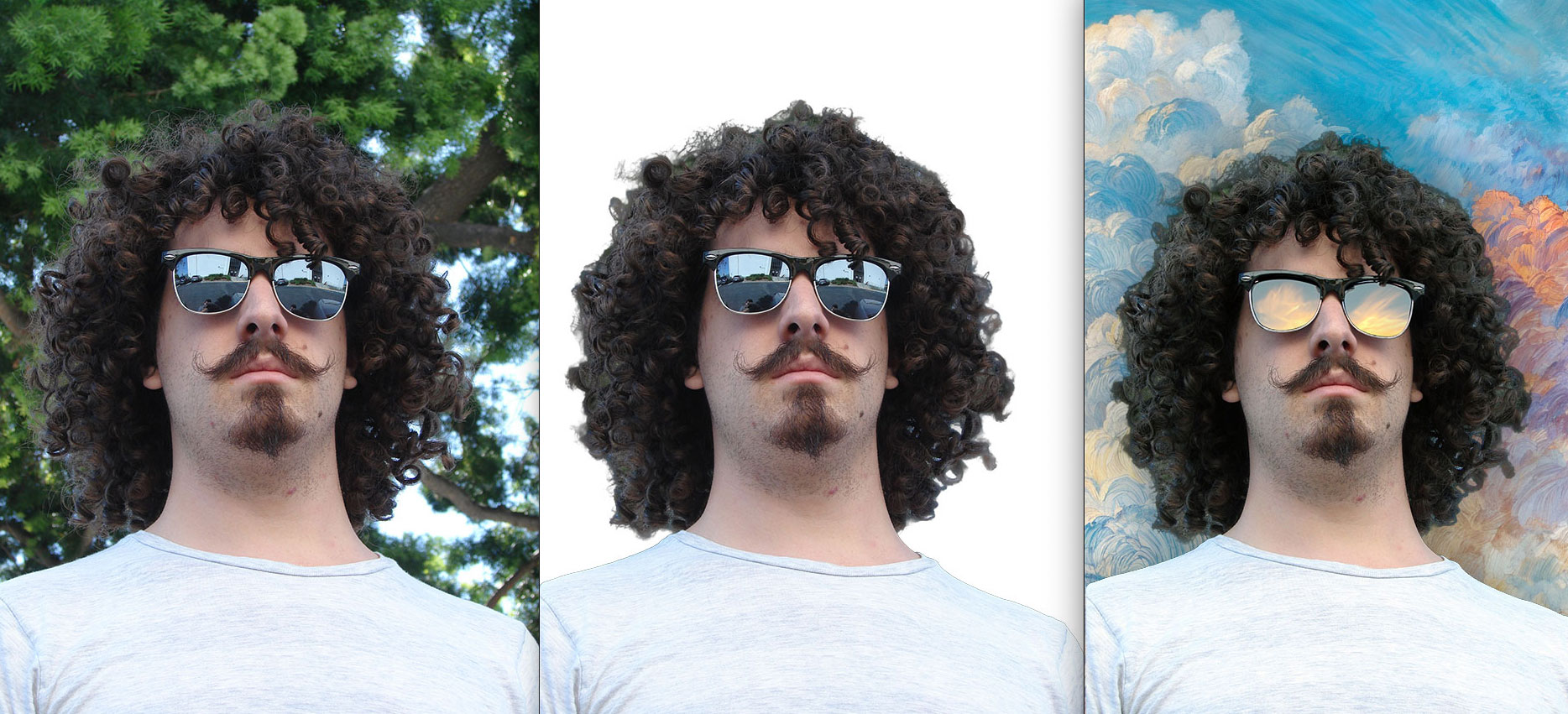
I poked through a handful of these new features, starting with “One-Click Subject & Background Masking”. I chose a very difficult image (a man with curly hair against a piney-type tree) and Photo RAW made quick work of the isolation, with no further work done on my part:
I used the masked result in Photoshop to make a quick comp, using one of my own “Abstract Extract” backgrounds:
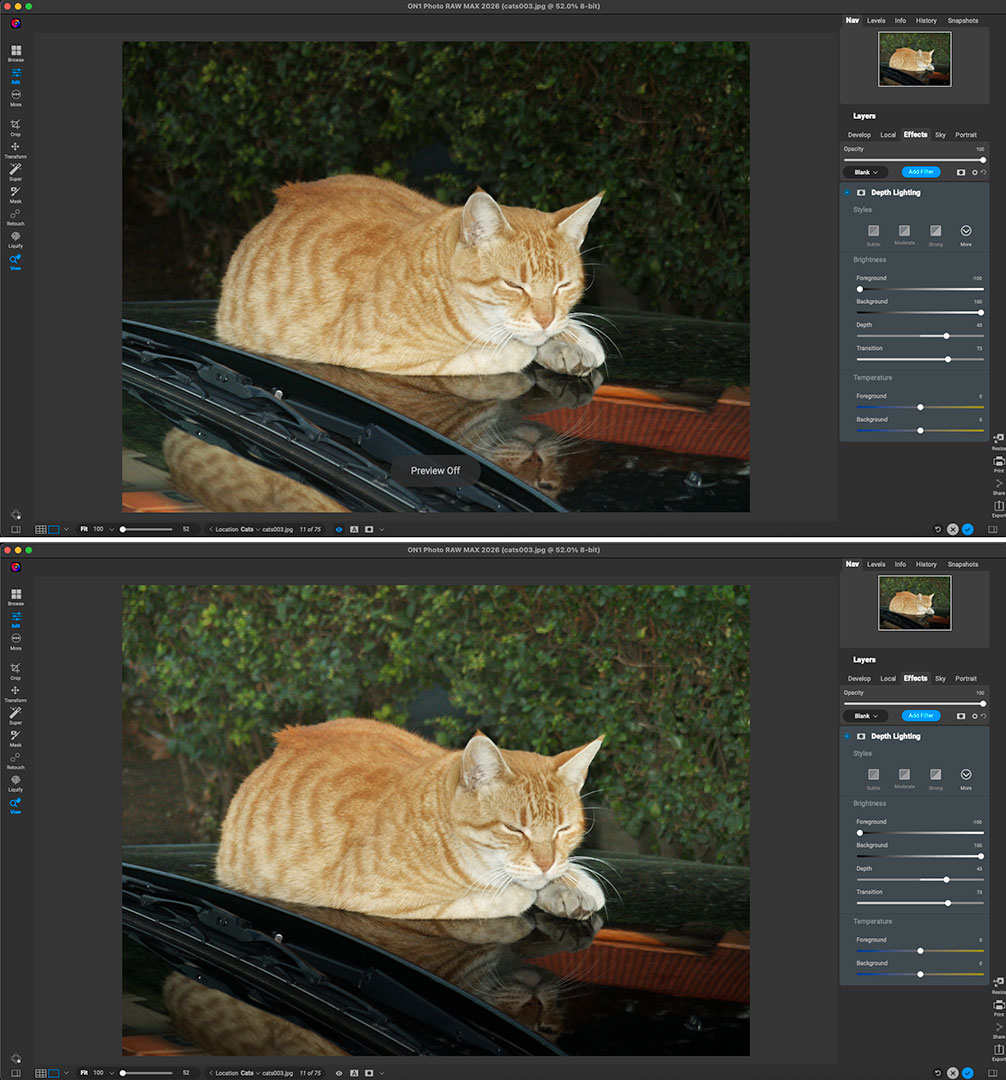
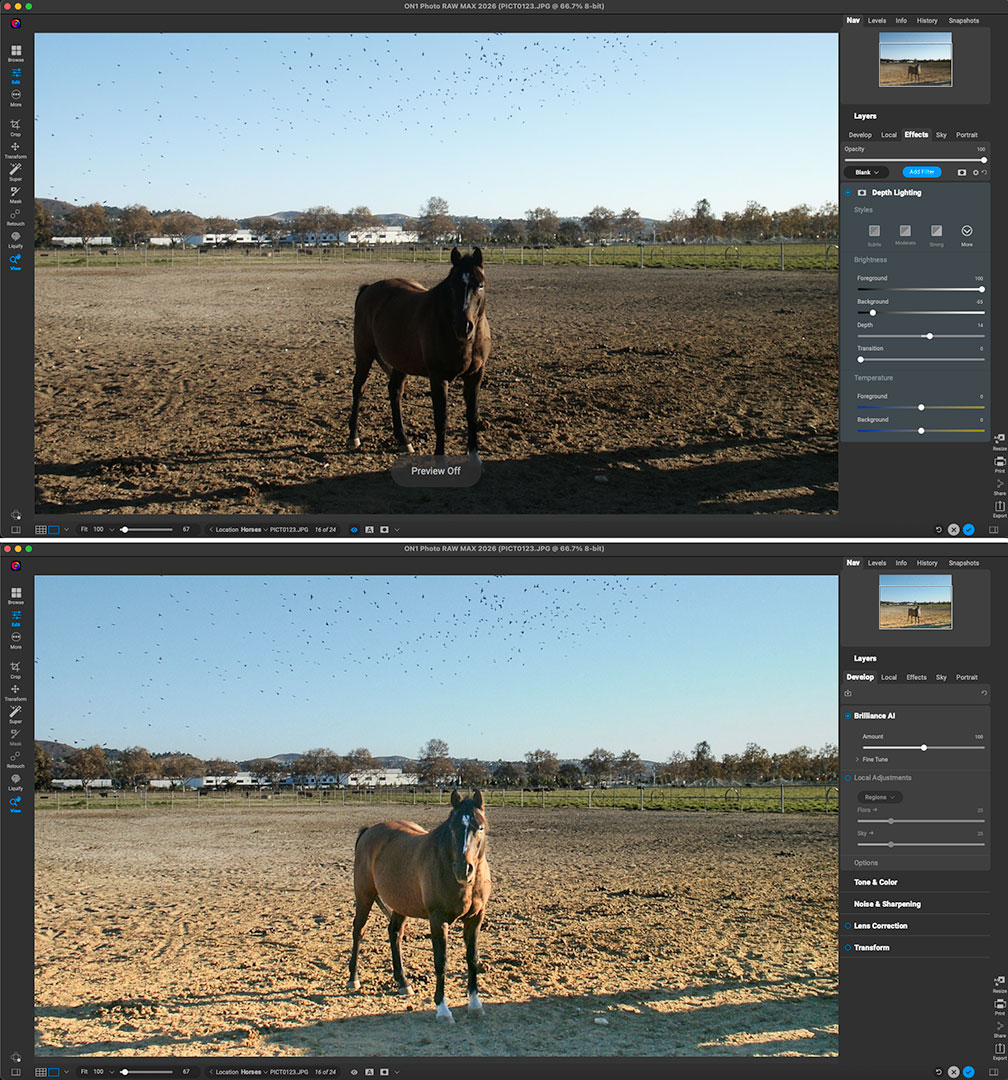
Next up was “Add Cinematic Depth Lighting in Seconds”. I dredged up some old digital images with imbalanced lighting and gave this feature a try (notice the difference between foreground and background in each set):
I added Brilliance AI to the result on this one:
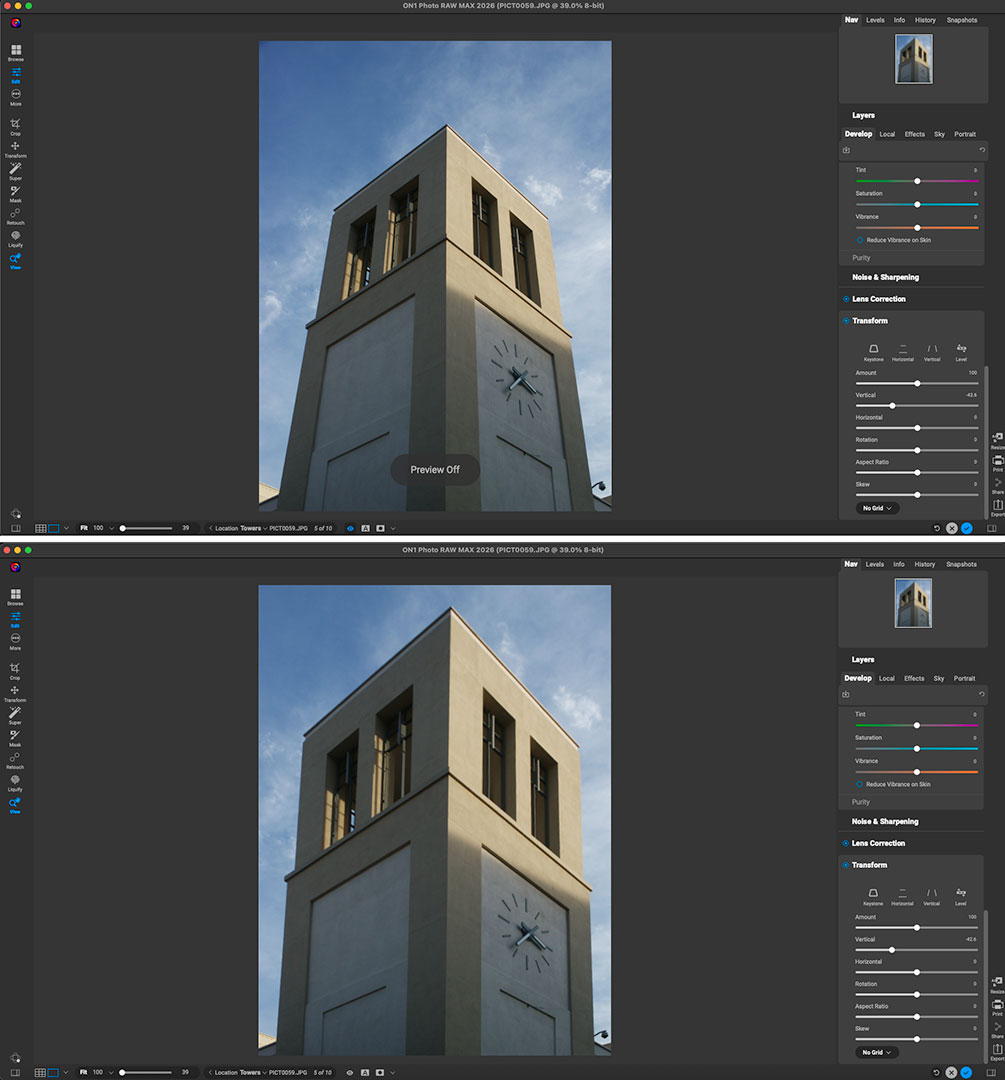
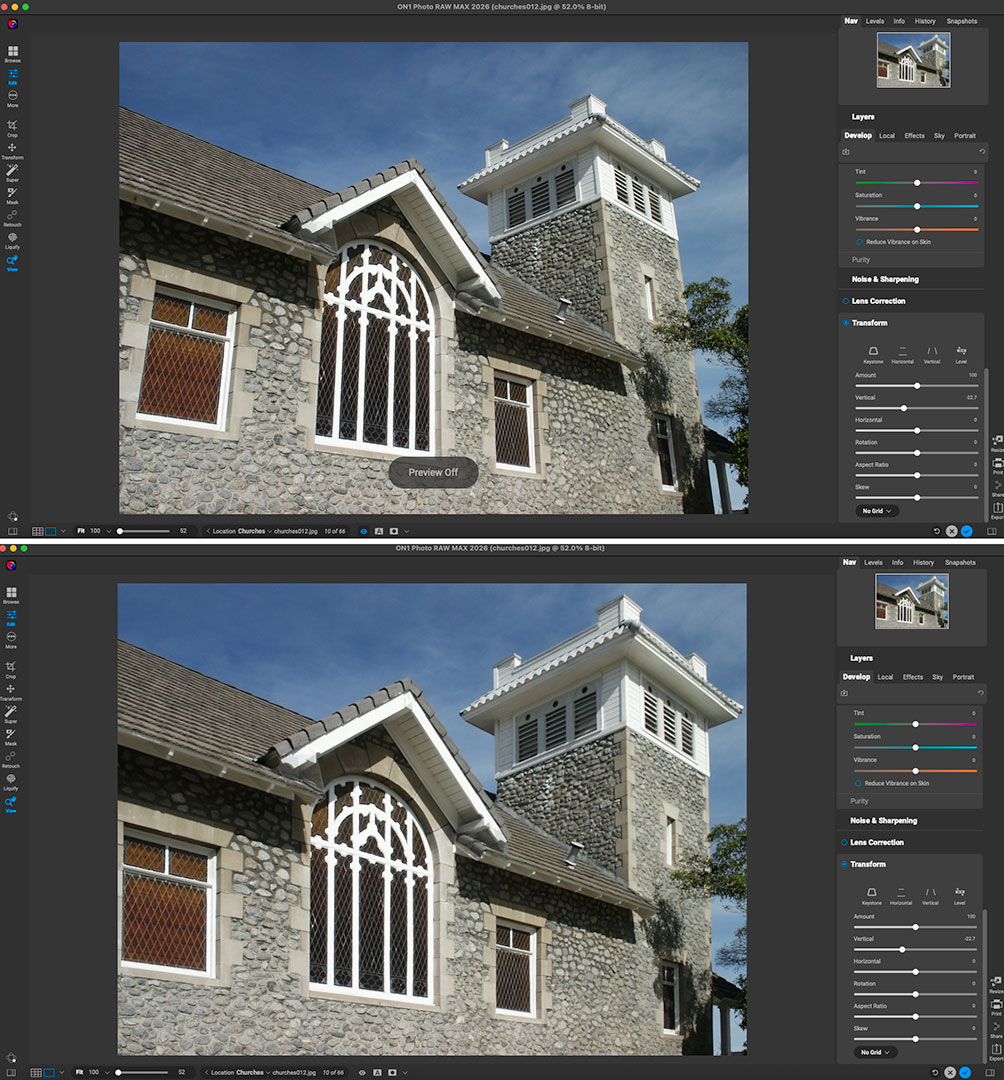
Architectural perspective correction is a very quick fix using the Transform tool (“Fix Crooked Buildings Without Losing Image Edge”) – just click an option and drag the slider!
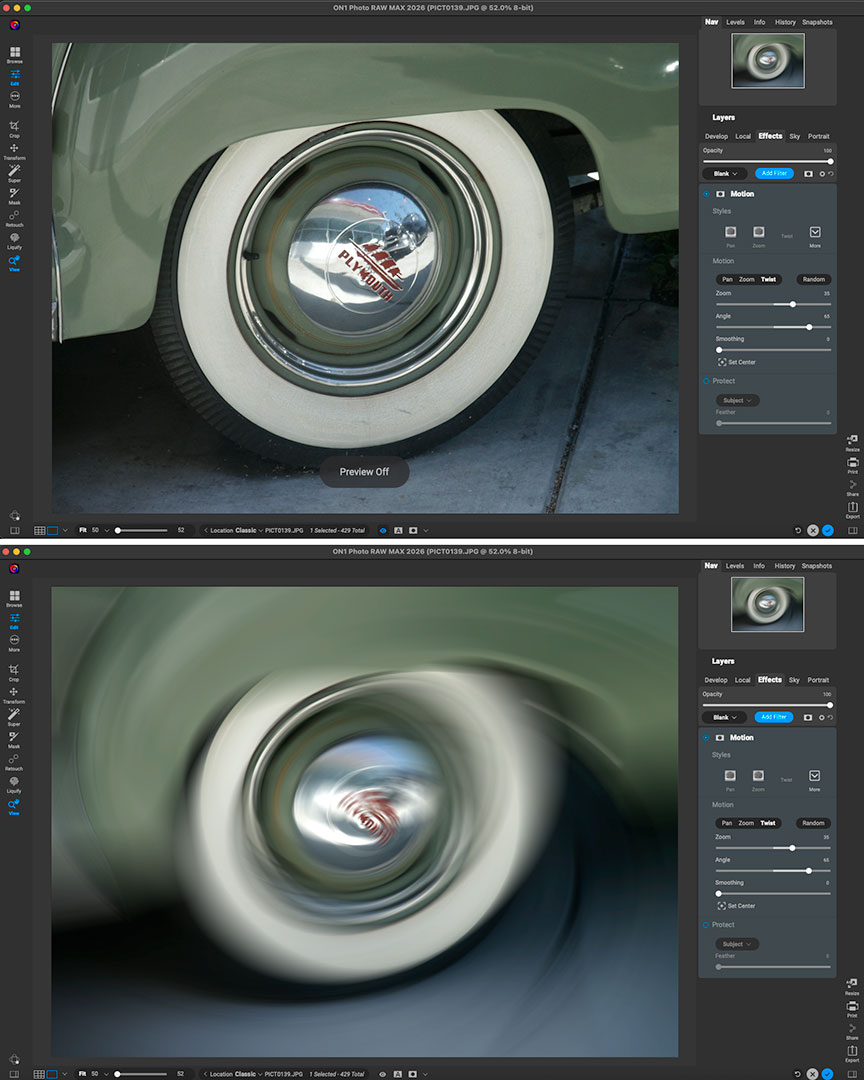
Let’s do the twist! “Add Realistic Motion Blur Right at Your Desk”, in this case to a classic car tire:
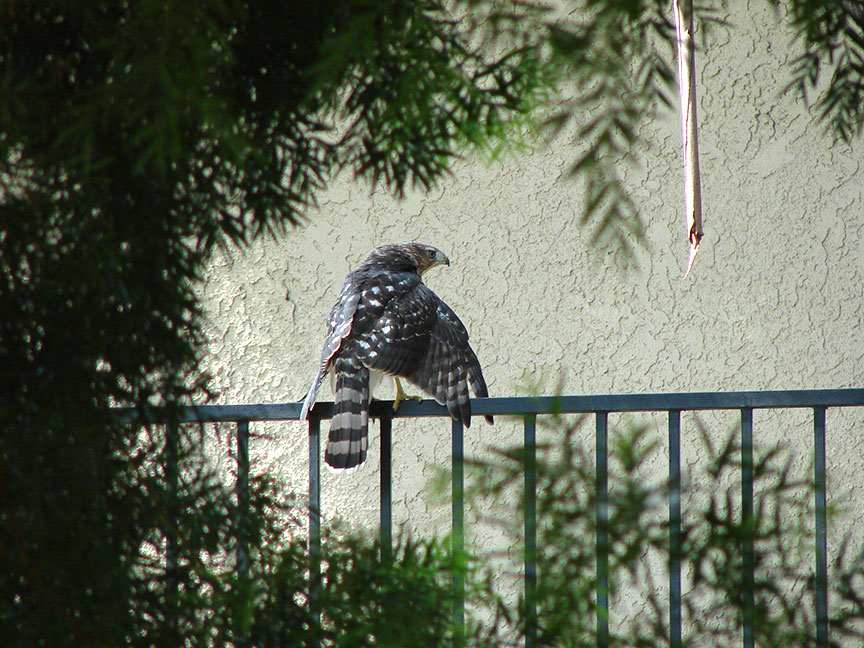
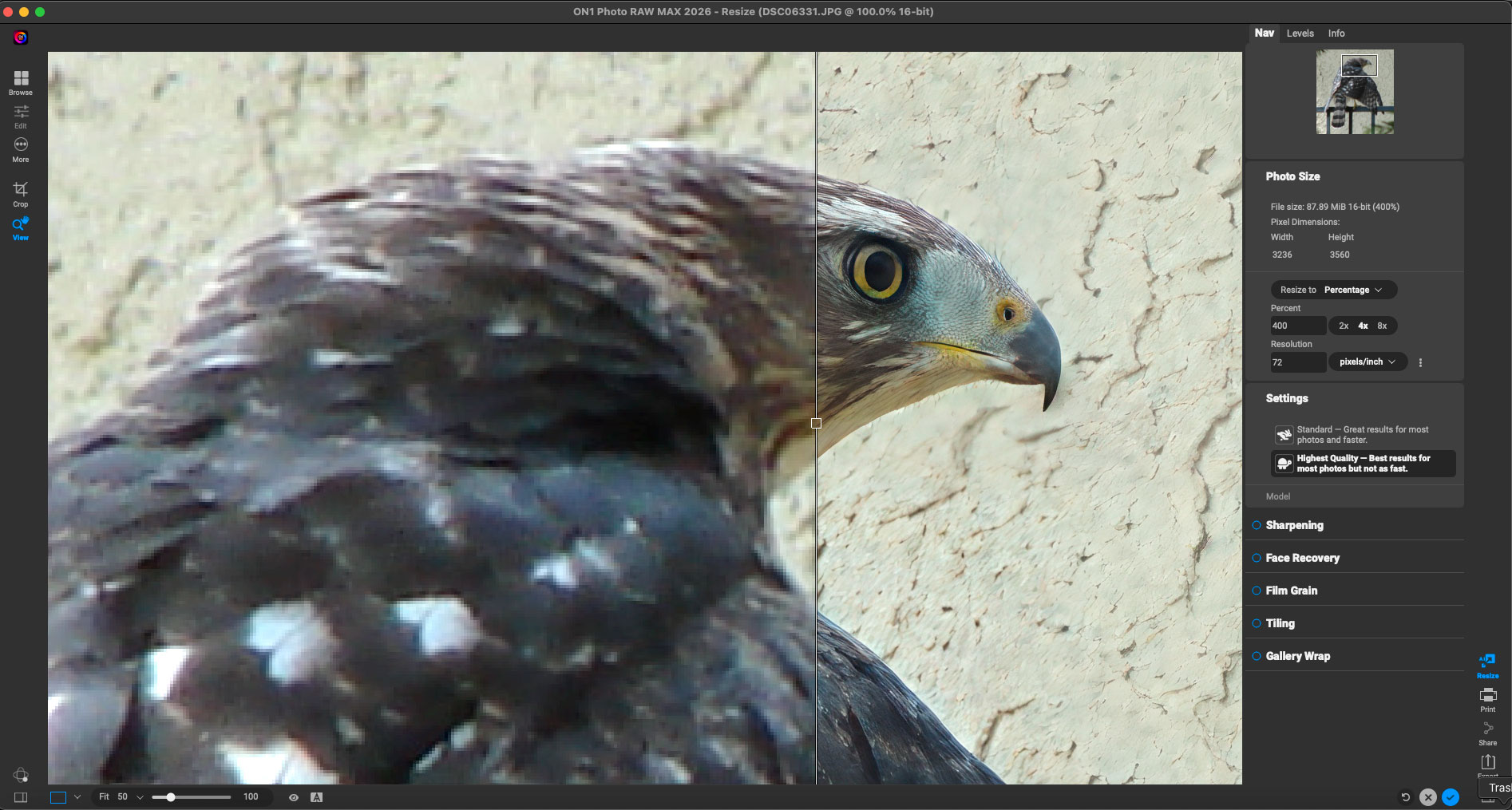
This last example is one of my favorites: “Turn Tiny, Noisy Images into Huge Photo Enlargements”. Photo RAW 2026 now incorporates the recently released standalone ON1 Resize into the Photo RAW fold, enabling you to easily upscale images up to 8X.
My original is shown here (full-frame, reduced):
In Photo RAW 2026 I cropped and slightly rotated the original, after which I applied Resizing at 4X with the Highest Quality model (no other ON1 enhancements were activated). You can see the before-and-after at 100% here (I also posted this screenshot full size, please open in a new window):
This pre-release offer is a great deal, especially considering the fact that you can choose between perpetual license and subscription options.
But please move fast, there are only 2 days left!