
The latest updates from Topaz for both Photo and Gigapixel have dropped, and we have release details from the Topaz devs (see end of post).
But first, here are some 100% view examples of upscaling 2X>6X with both Photo and Gigapixel (open each in a new tab or window to view at full size).
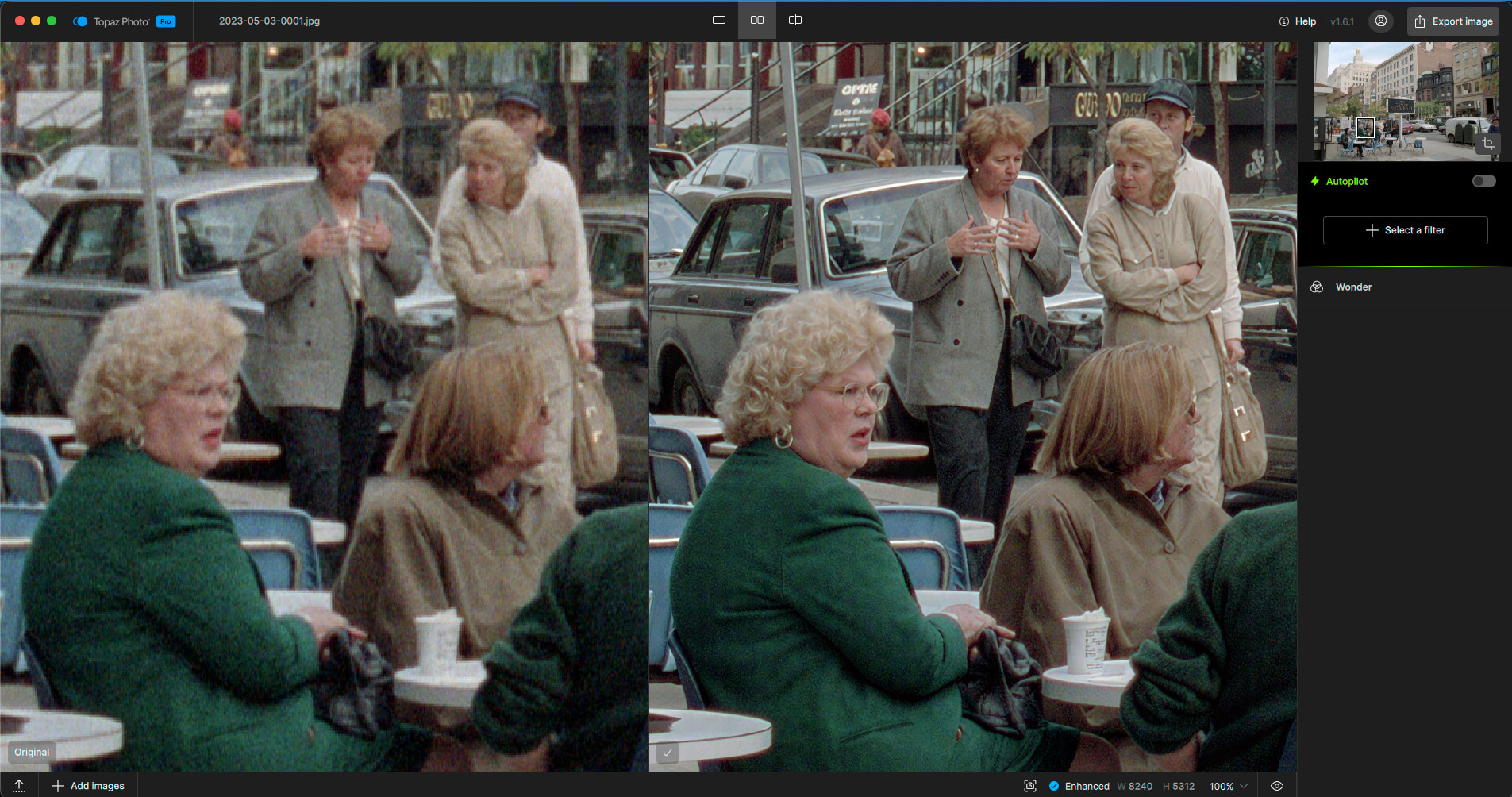
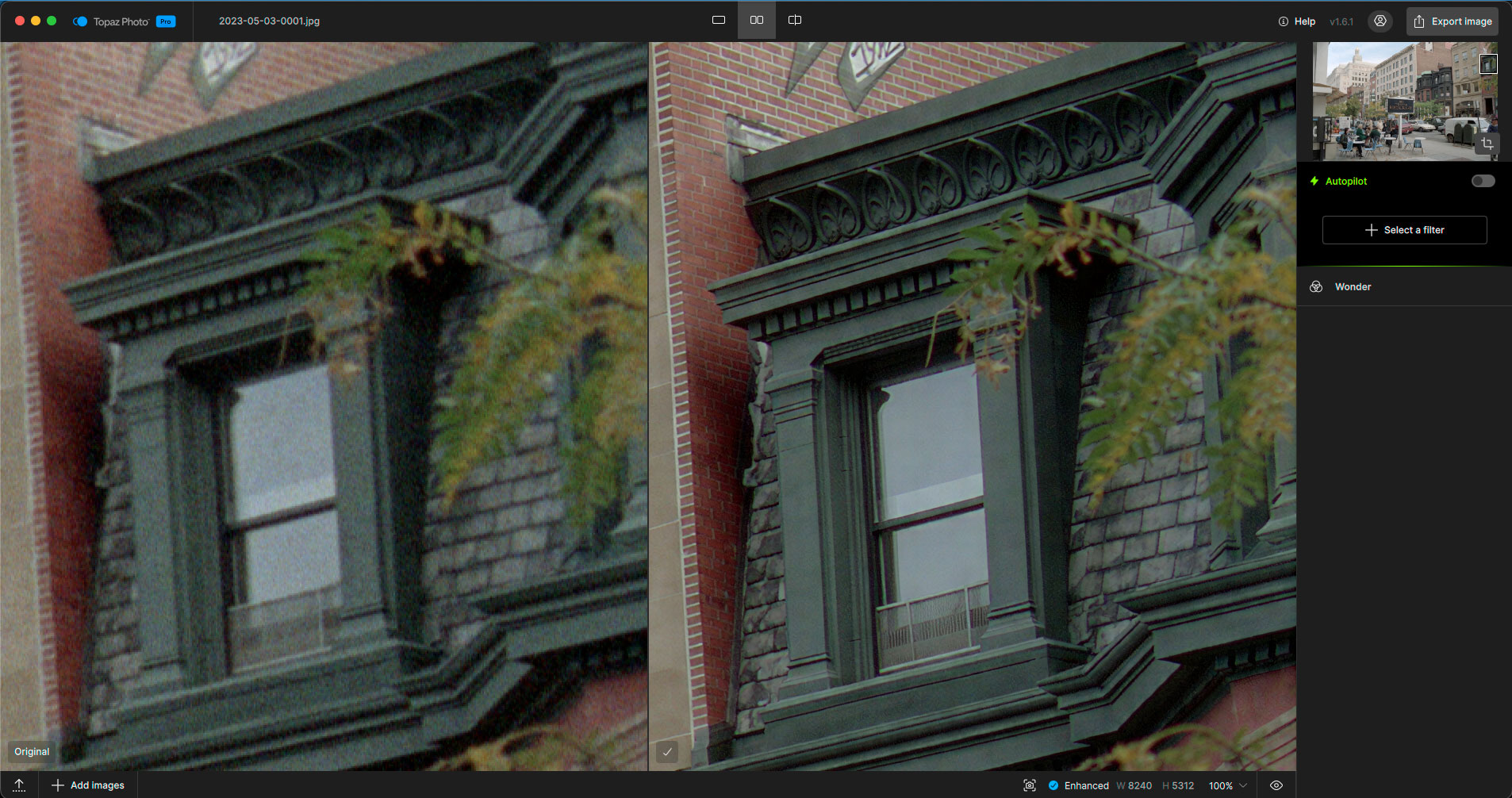
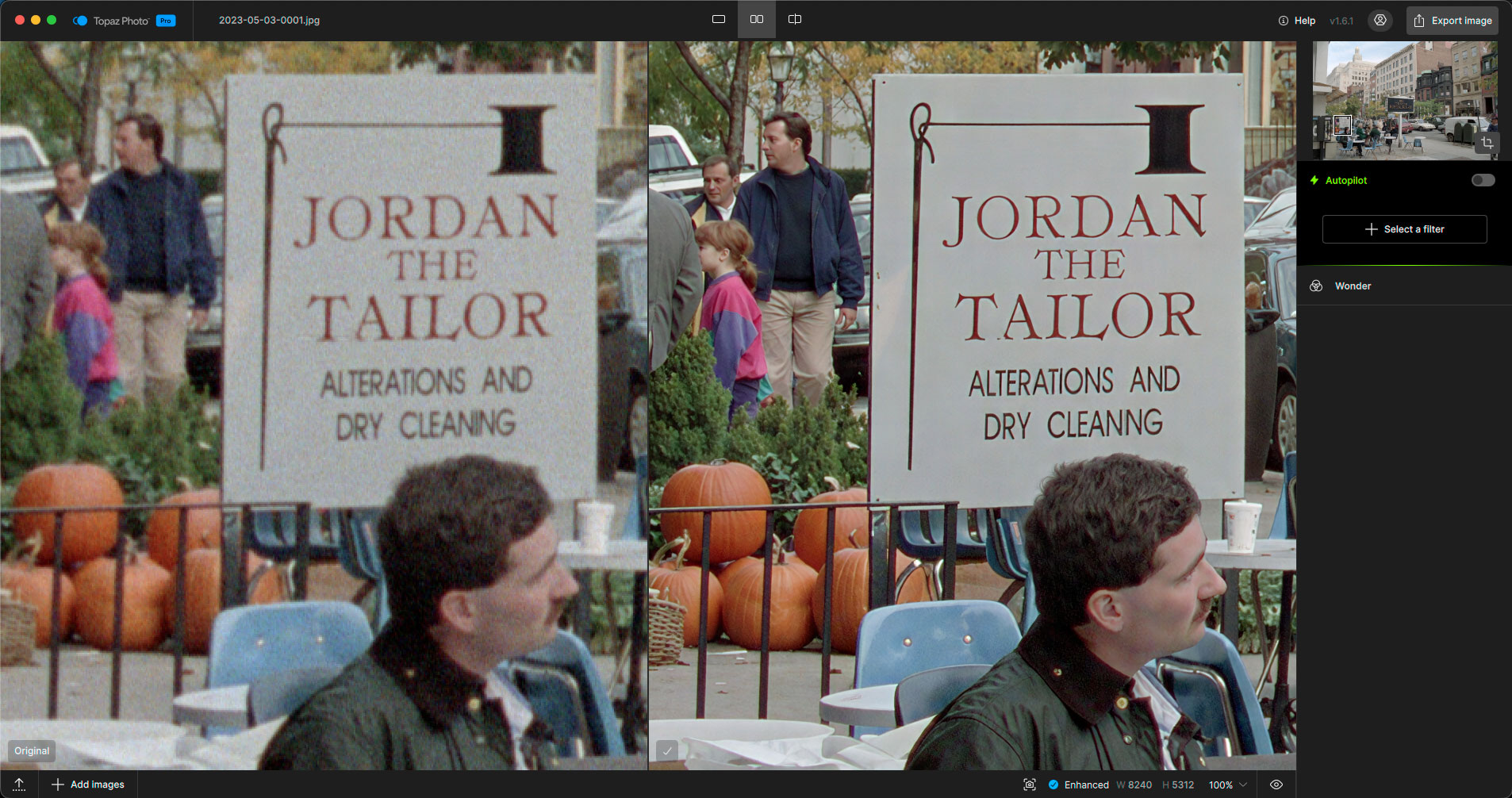
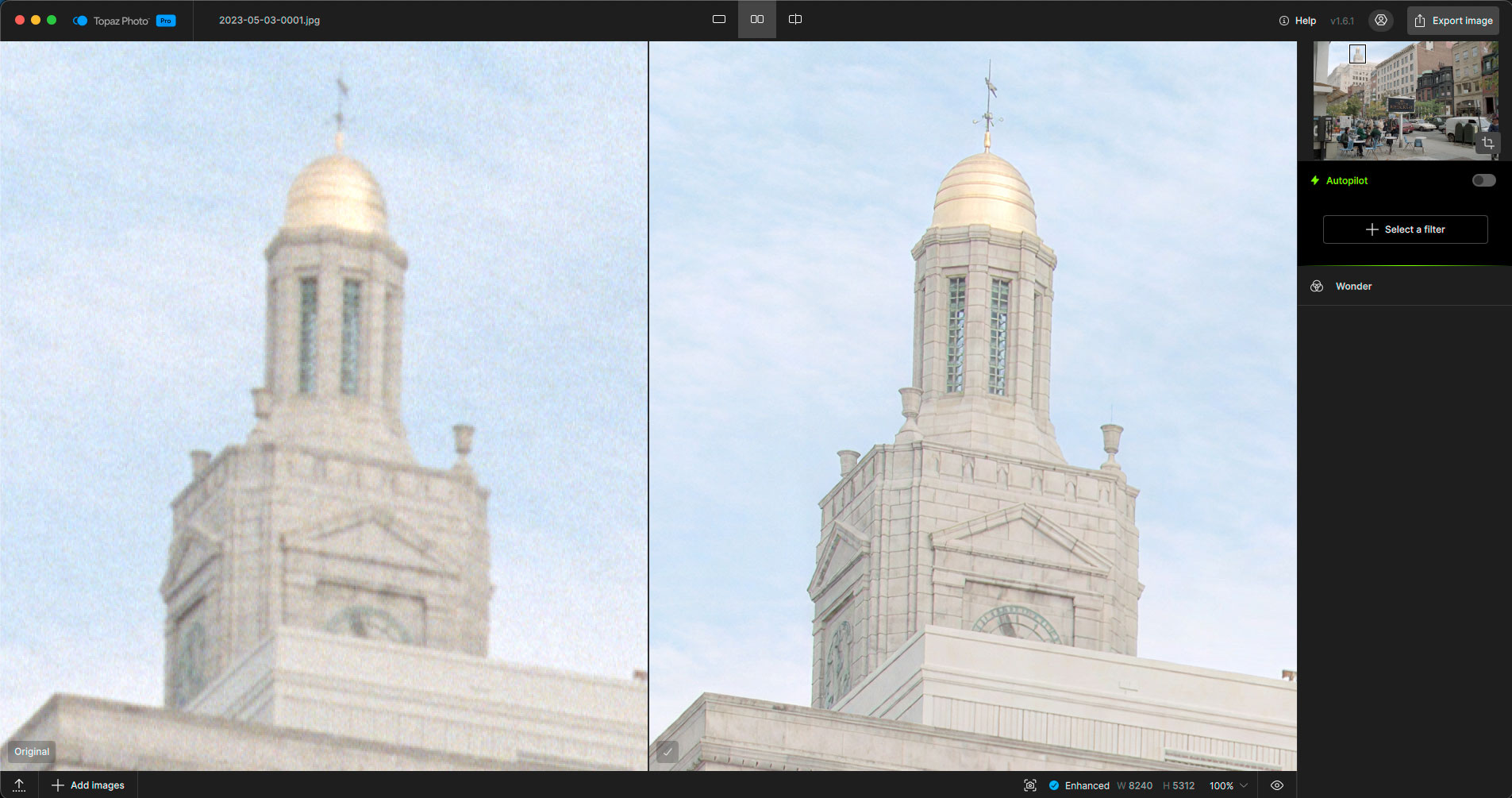
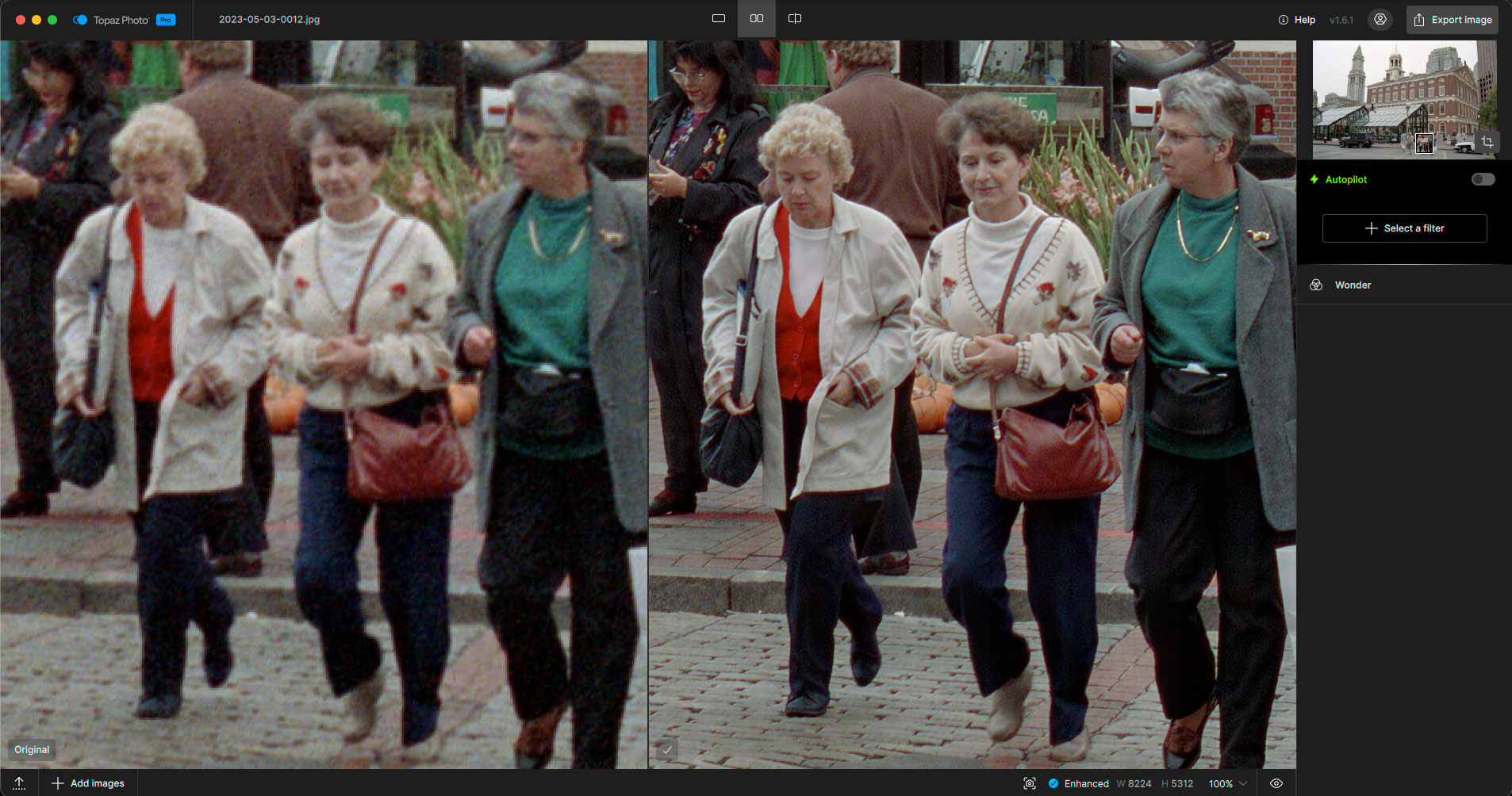
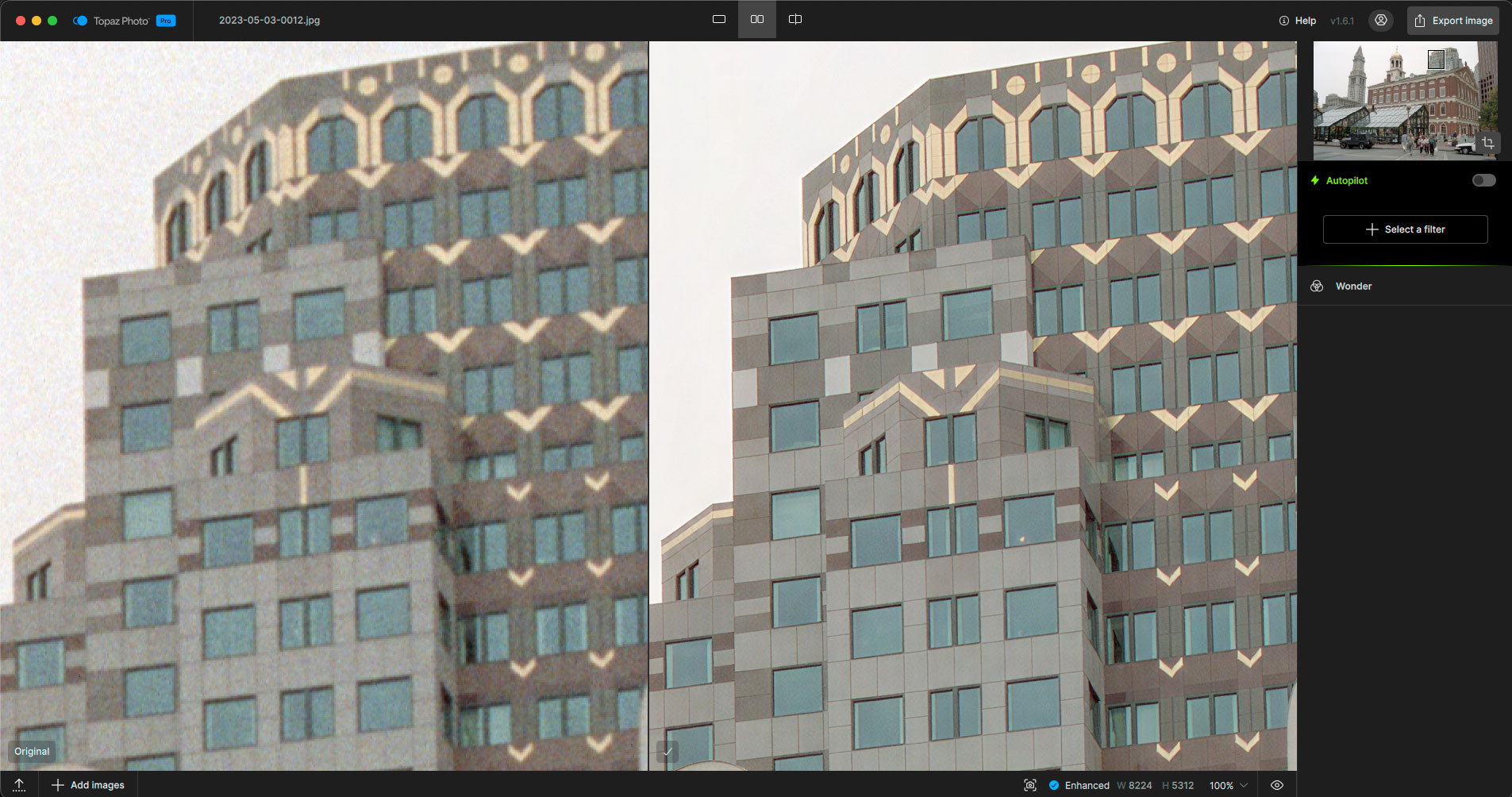
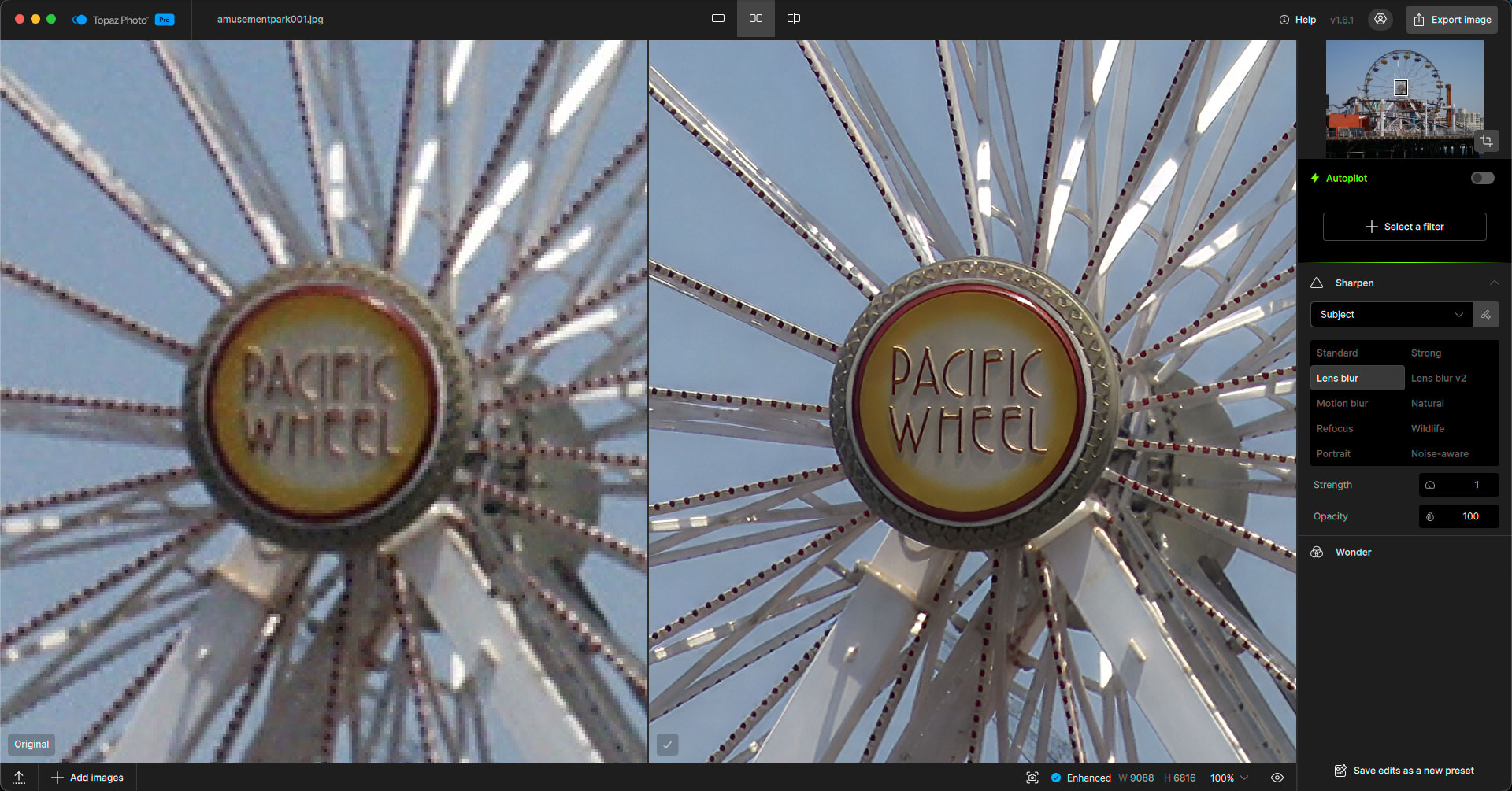
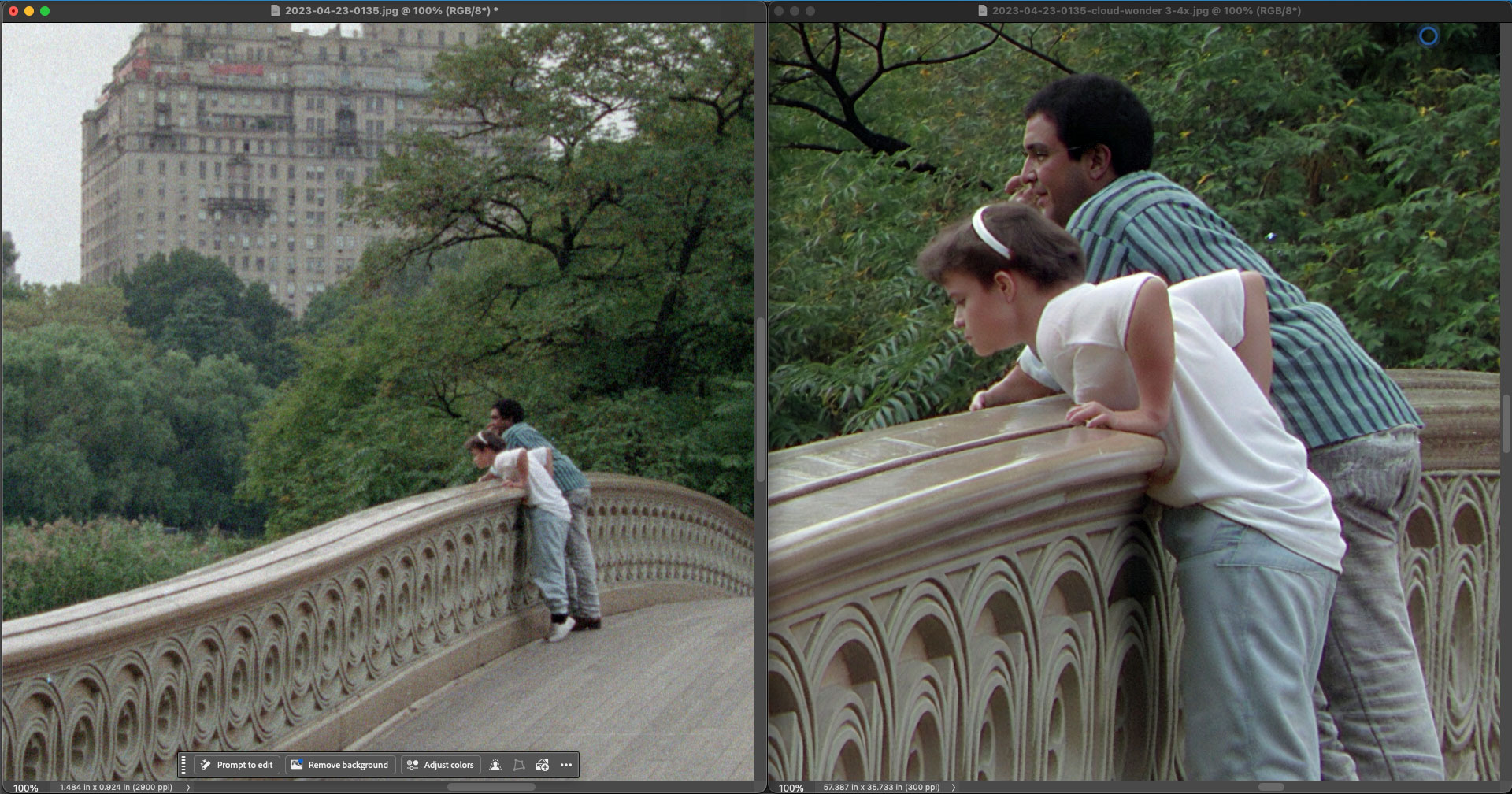
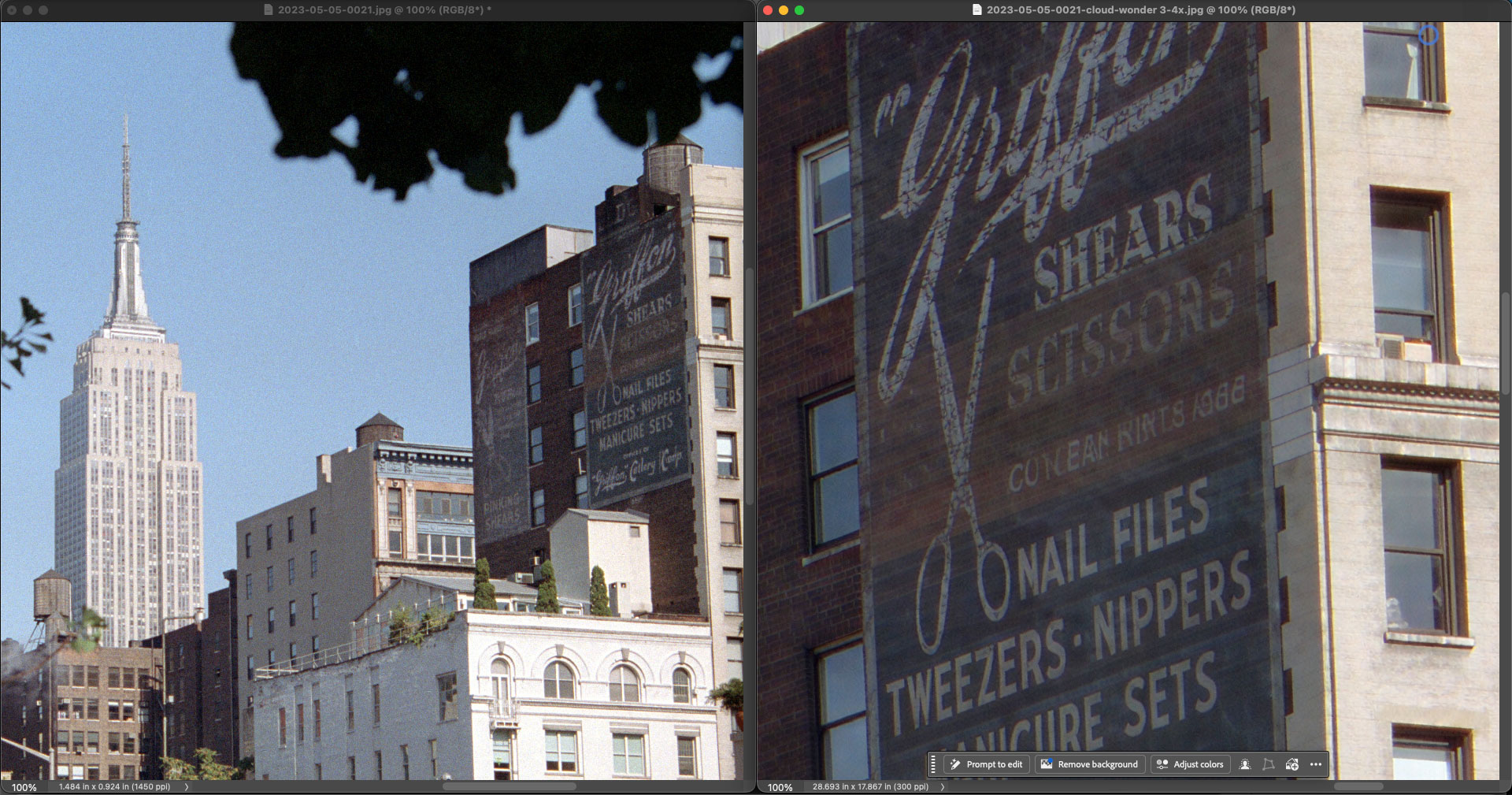
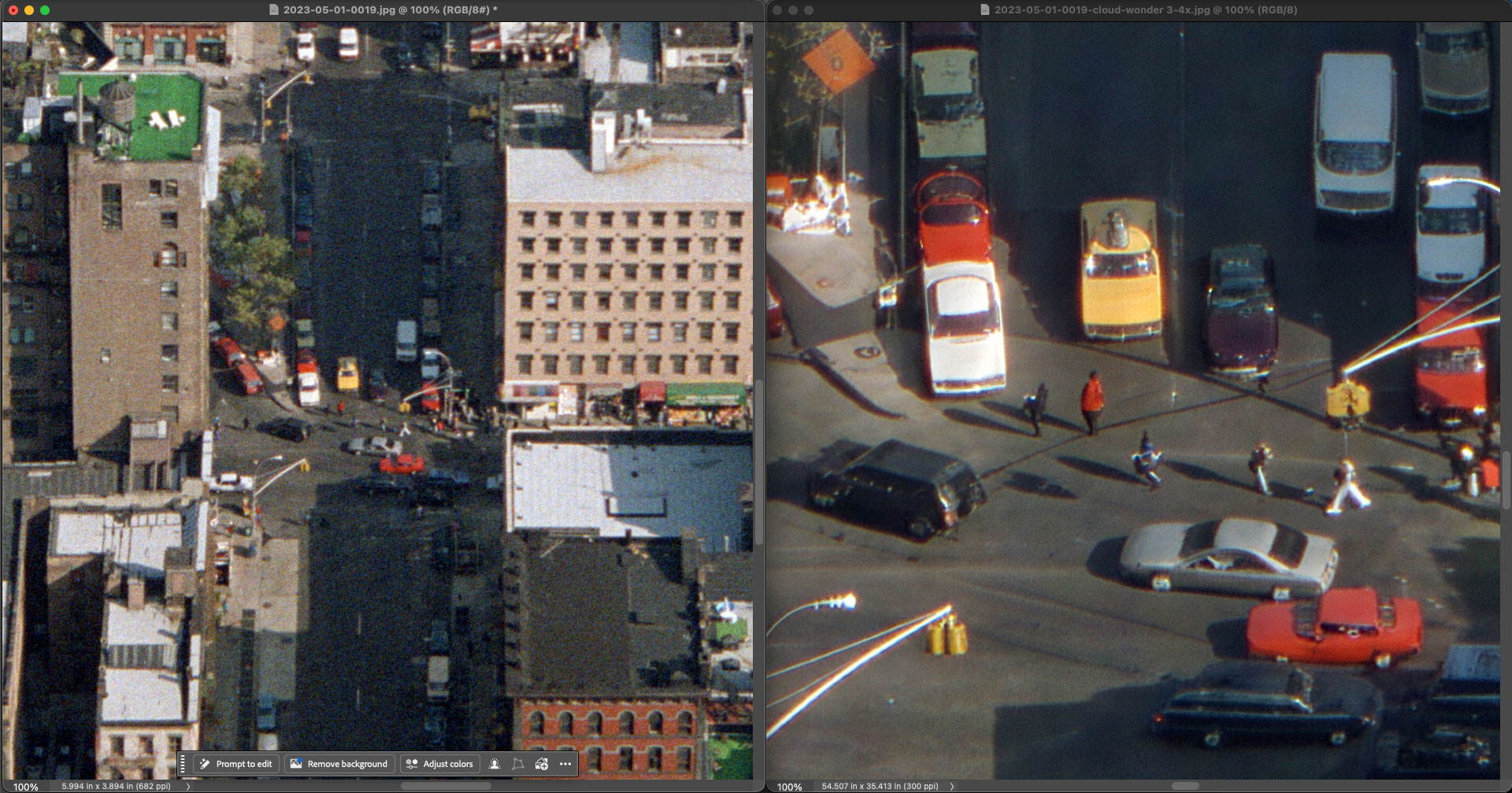
The source images are scans of my own 1990s 35mm negatives (Boston and New York City) as well as early 2000’s lower-res non-DSLR digital captures. Notice the restored detail (including most text), noise removal, maintenance of existing bokeh and amazing level of facial recovery, even when viewing small sections of the images.
TOPAZ PHOTO, 1990s 35mm scan of Boston, Wonder 3 model (several detail views of the same frame):
Another Boston scene:
TOPAZ PHOTO, early 2000’s lo-res digital photo at Santa Monica Pier, Wonder 3 + Sharpen>Lens Blur:
TOPAZ GIGAPIXEL, 1990s 35mm scan of New York City’s Central Park, Wonder 3 model:
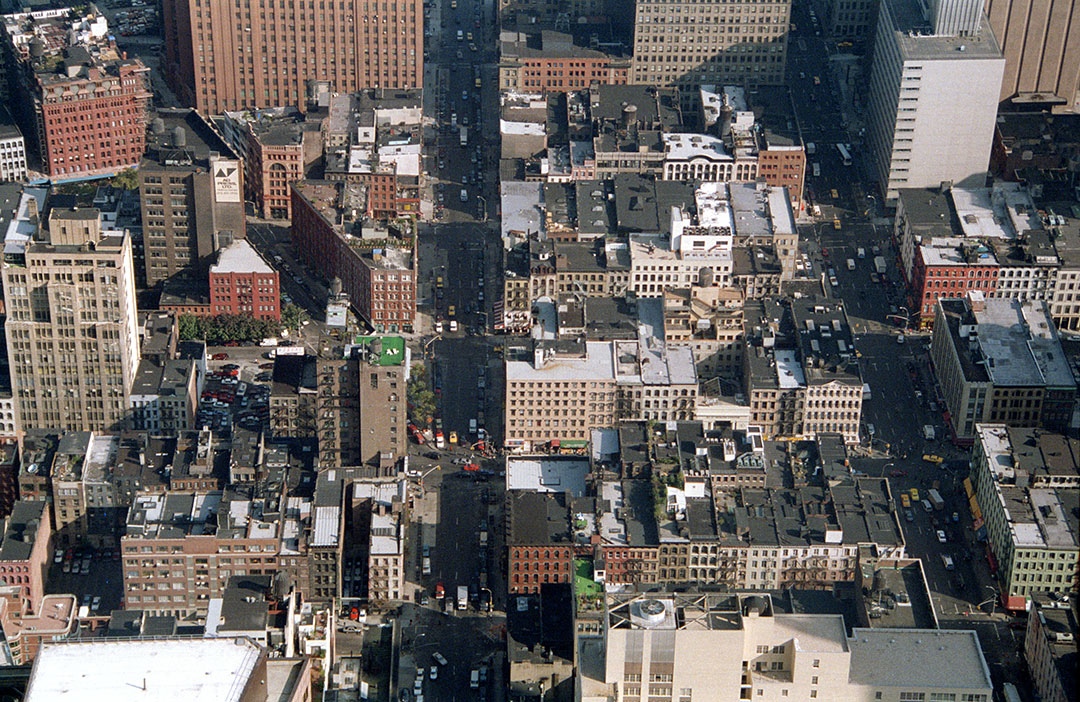
TOPAZ GIGAPIXEL, 1990s 35mm scan of New York City’s Empire State Building neighborhood, Wonder 3 model:
Here we drill down from this wide Manhattan view to a single intersection:
TOPAZ GIGAPIXEL, early 2000’s lo-res digital photo of SoCal scenery, Redefine>Creative:
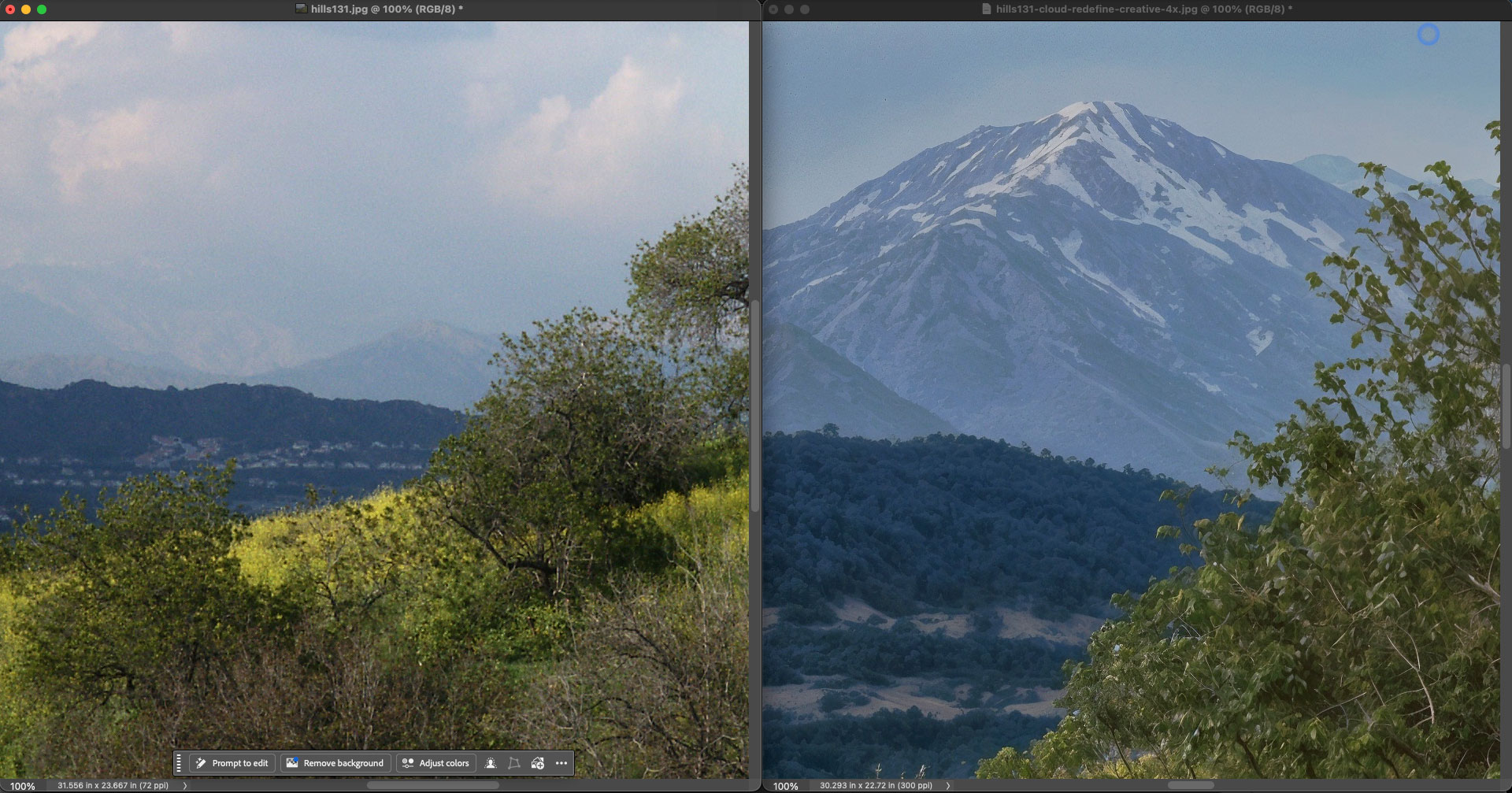
If your many years of photography with old cameras have left behind a trail of less-than-stellar images, this is how you redeem them!
These are the technical details for these latest Topaz releases:
Neuroserver Speed Improvements for Mac and Windows
In this release are many improvements to NeuroServer which speeds up both Mac and Windows processing in different ways. Overall, NeuroServer runs efficiently compared to previous versions, which benefits all NeuroServer-based models: Wonder 2, Wonder 3, and Recover Faces 3.
Mac
On Mac, two things changed. First, NeuroServer initialization and model loading are significantly faster. The first run after installing should start up noticeably quicker, and subsequent runs load faster too. Second, processing now uses both the GPU and Neural Engine together. Combined, Mac processing is almost 2x faster across all NeuroServer models.
Windows
On GPUs that meet the minimum VRAM requirements (8GB and 12GB cards) NeuroServer was running inefficently due to memory usage. We have reduced requirements to allow faster image processing on these devices which were bottlenecked by memory. For 8GB and 12GB VRAM GPUs, the speed improvement is up to 4x.
In our testing with an NVIDIA 4060 Laptop GPU with 8GB VRAM, we upscaled a 24MP image to 96MP (2x upscale) with the following results. Note that devices with more GPU have lower improvement due to no memory bottleneck in processing.
1982s (33m) processing time on v1.3.0
450s (7.5m) processing time on v1.3.1, a 4x increase
If you’ve been avoiding these models for larger images or batches because of processing time, this update changes that calculation.
Topaz Gigapixel v1.3.1
Released June 11th, 2026
Changelog
Update NeuroServer to improve processing speed 2x on Mac and up to 4x on Windows
Add color correction to High Fidelity 3 to prevent color shift
Add double-click to maximize window on Mac
Block generative models on Windows ARM with tooltips explaining they are not supported on that platform
Fix face recovery processing greyscale images twice
Fix Redefine Creative model applying Redefine Realistic instead when used on a batch of images
Fix Redefine model preview not updating when the image prompt is changed
Fix Standard Max cloud strength tooltip showing 0 or 1 instead of the correct value
Fix Wonder 3 grain settings not being included in cloud renders
Fix Wonder 3 enhancement strength not showing correctly in cloud renders after restarting application
Fix Wonder 3 batch processing using the same strength for all images when different strengths are selected
Fix Intel Mac color shift when sending images to cloud render
Fix legacy models appearing in the model selector menu instead of only the model version dropdown
Fix output image PPI not matching expected resolution for print when using cloud render
Fix “…” options menu not appearing in the cloud render queue
Fix out-of-memory crash on images larger than 40MP on some NVIDIA hardware
Fix Wonder model download not retrying on failure during Mac installation
Fix “Don’t show again” checkbox not functioning on Neuroserver local render not available dialog
Fix face recovery help link
Fix macOS title bar buttons not centering correctly
Fix Topaz Labs appearing at incorrect size for Photoshop Automate plugin
Fix crash from log file corruption
Fix various stability issues from race conditions and memory handling
Add color correction to High Fidelity 3 to prevent color shift
Topaz Photo v1.6.1
Released June 11th, 2026
Changelog
Add color correction to High Fidelity 3 to prevent color shift
Limit output to 192MP for Wonder 2 and Wonder 3 local render due to NeuroServer limitations
Remove unnecesary warning when using Wonder with Raw files
Block NeuroServer local processing for devices below minimum GPU requirements
Block Face Recovery 3 when generative AI is disabled in settings
Fix resolution settings not applying properly from upscale menu
Fix RAW denoise not adding in batch processing when images are not loaded and analyzed
Fix filmstrip tooltip information
Fix Denoise MAX having no way to reprocess and change strength
Fix processing deselected faces in Recover Faces when another enhancement is added
Fix face recovery default sometimes selecting 0 faces
Fix enterprise seat claiming
Fix window controls on top left not centered on Mac