
ON1 has begun taking discounted pre-orders for Photo RAW 2027, due to arrive in early November. The pre-order discount ends on 9/30.
You can also pre-order NoNoise AI 2027 which is scheduled for release in the coming days. The new NoNoise AI 2027 models will also be built-in to ON1 Photo RAW 2027 (and MAX 2027) when it ships in the Fall.
ON1 says, “Photo RAW MAX 2027 pulls richer color and sharper detail out of every file with an all-new raw processing engine, knocks out noise even at ultra-high ISO with the remastered NoNoise AI, and saves you hours of time culling with a new Culling Assistant. You’ll also get color and tone that’s right every time with a smarter Brilliance AI, consistent results across your whole edit with a redesigned masking experience, cleaner retouching with Perfect Eraser enhancements, plus much more.”
Whether you are a new or existing ON1 user, there is an offer for you. New or signed-out visitors get the 2-for-1 deal (2026 today, 2027 this fall — two full versions, one price), while existing 2026 owners will see a 2027 or 2027 MAX upgrade pre-order instead.
Either way this is a very good but time-limited on-ramp, so be sure to lock in your early access before the deal expires in a few days!
I had a chance to work with the NoNoise 2027 pre-release version and put it through its paces on both challenging digital and film-sourced images. Let’s take a look at some examples, after which I will post more details about what’s new in the upcoming releases.
Let’s start with an image of a nighttime forest fire that I shot back in 2003 with a consumer level digital camera. Of course it was going to be very noisy due to its 4-second exposure with basic equipment. (Note: all screenshots show the cropped detail results at 100% so open them in a new tab or window to view full-size).
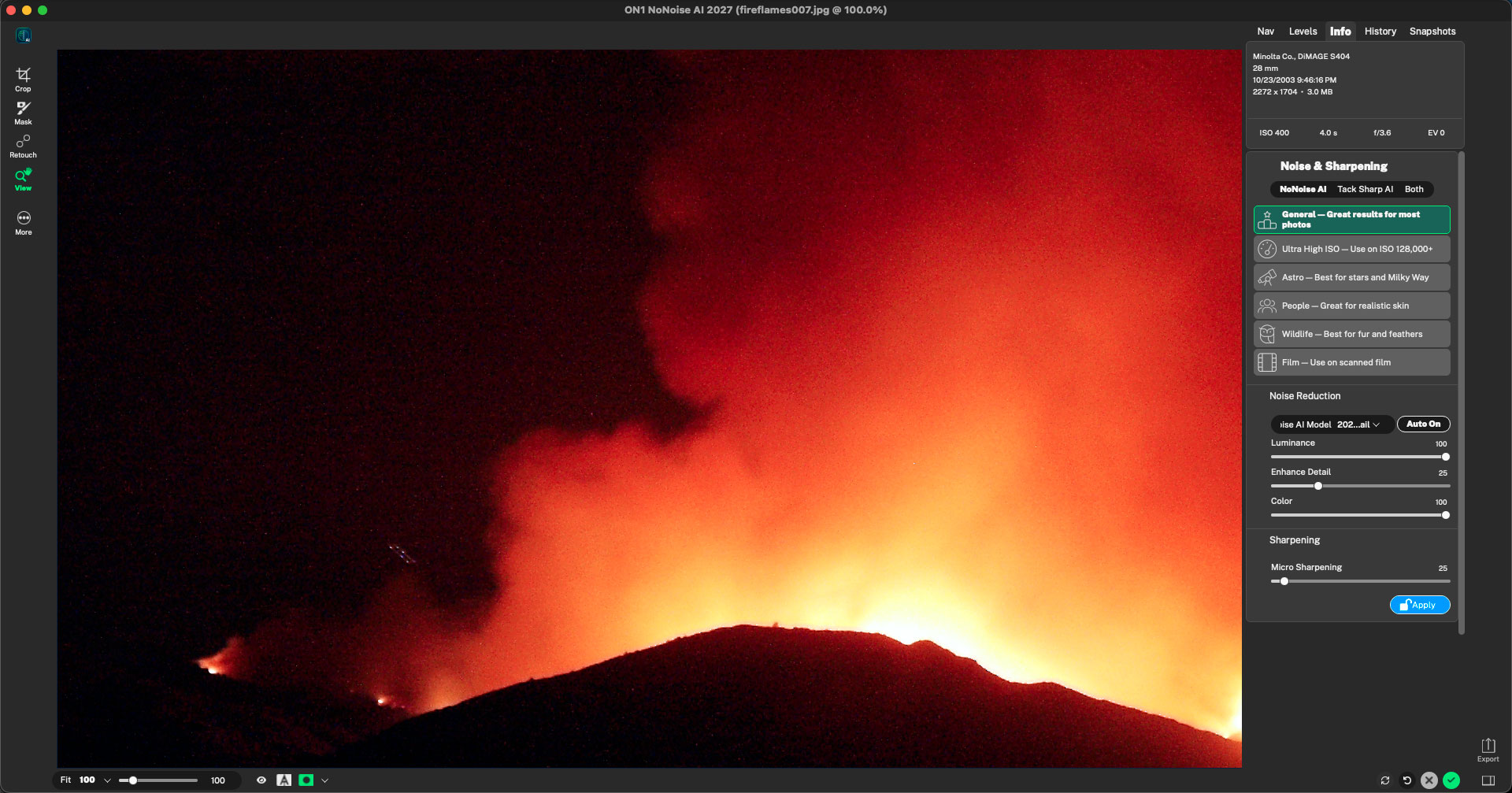
After running the image through NoNoise with default settings (General, using the 2027 model), all of that gritty digital mess is gone:
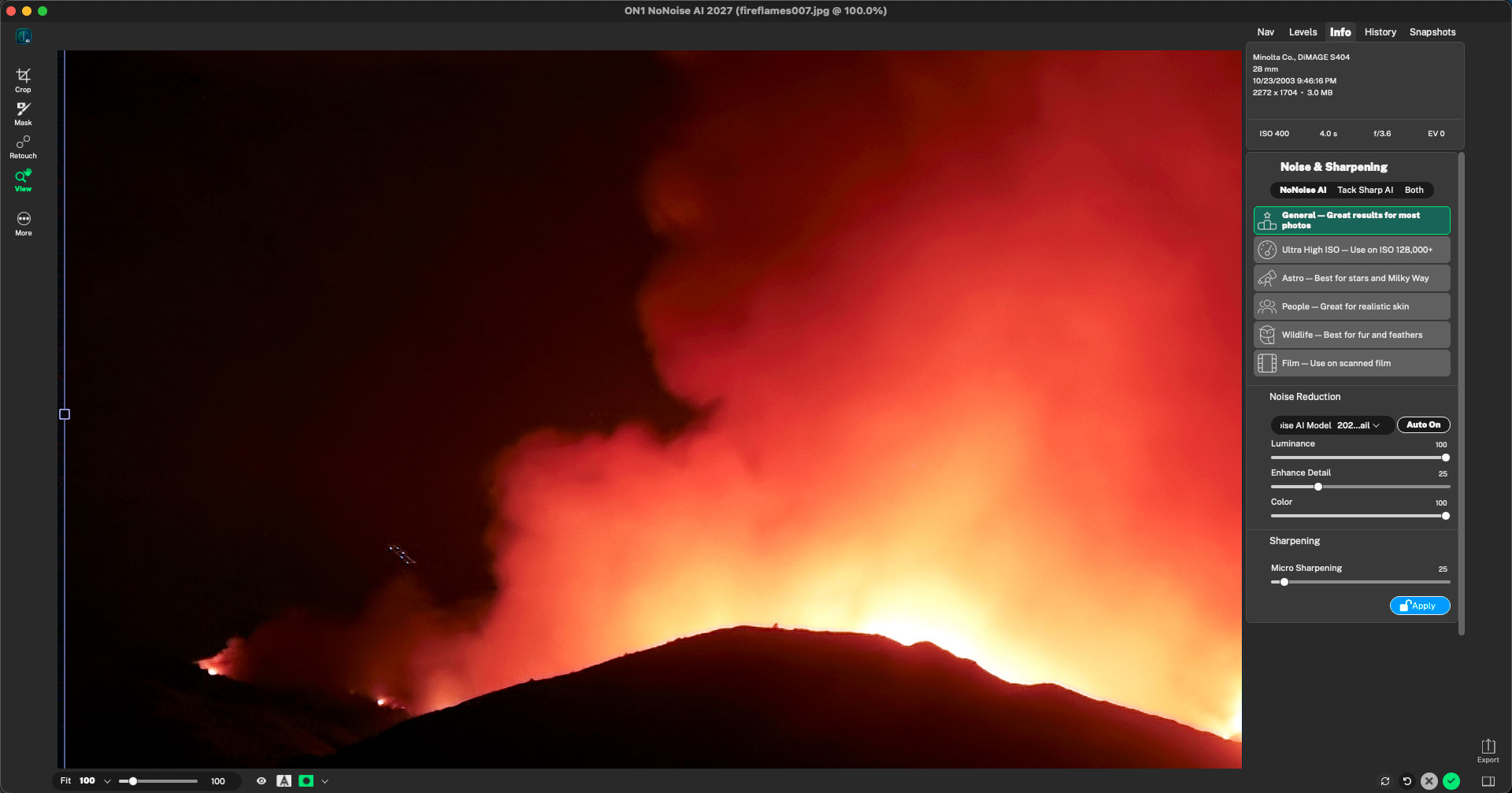
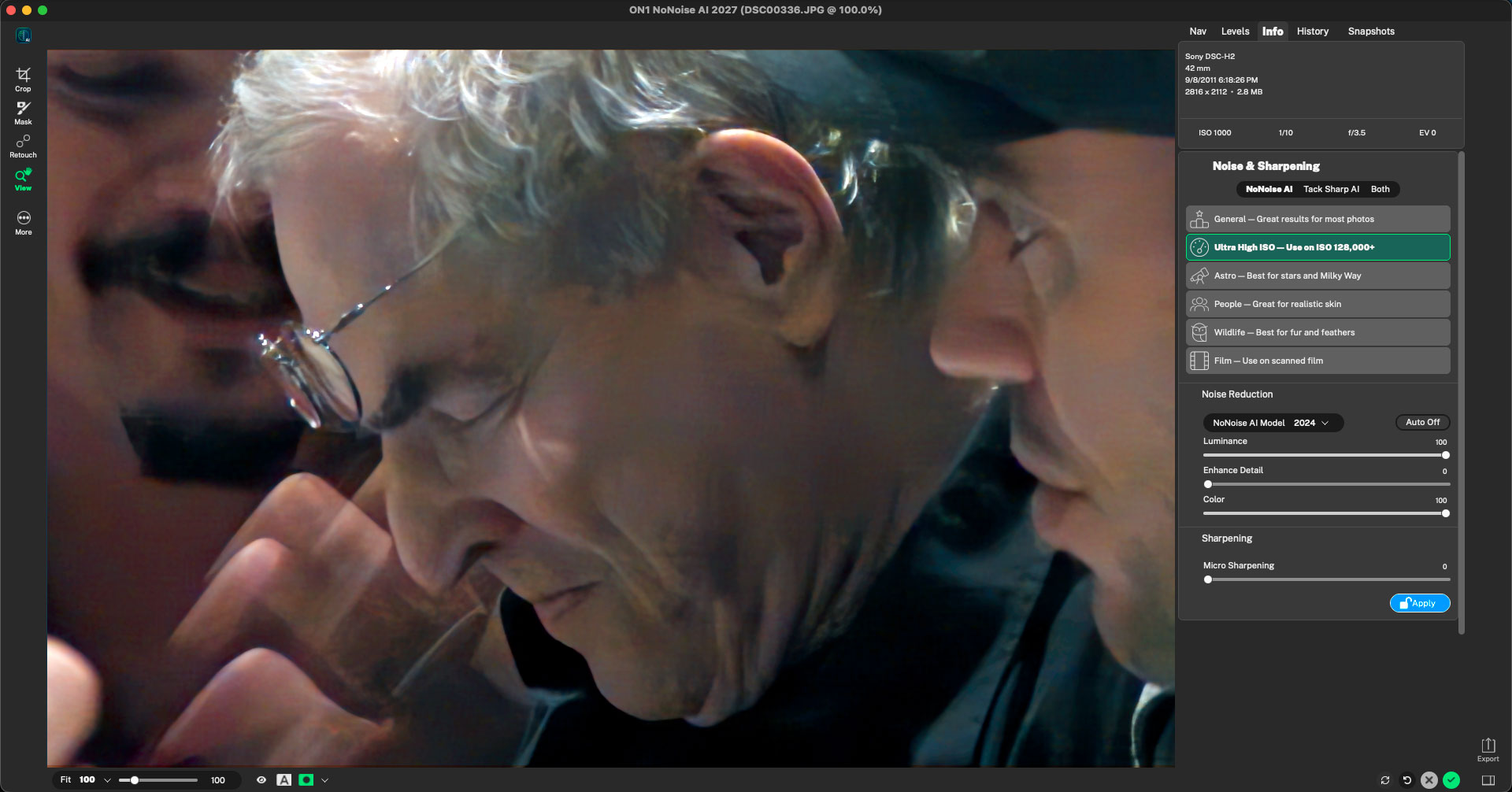
By 2011 I was using a “better” but still not pro-level digital camera and took it to Photoshop World, where I photographed the various speakers using only natural light in the dimly lit conference rooms. Again, the results exhibit lots of digital noise and banded, colored mush:
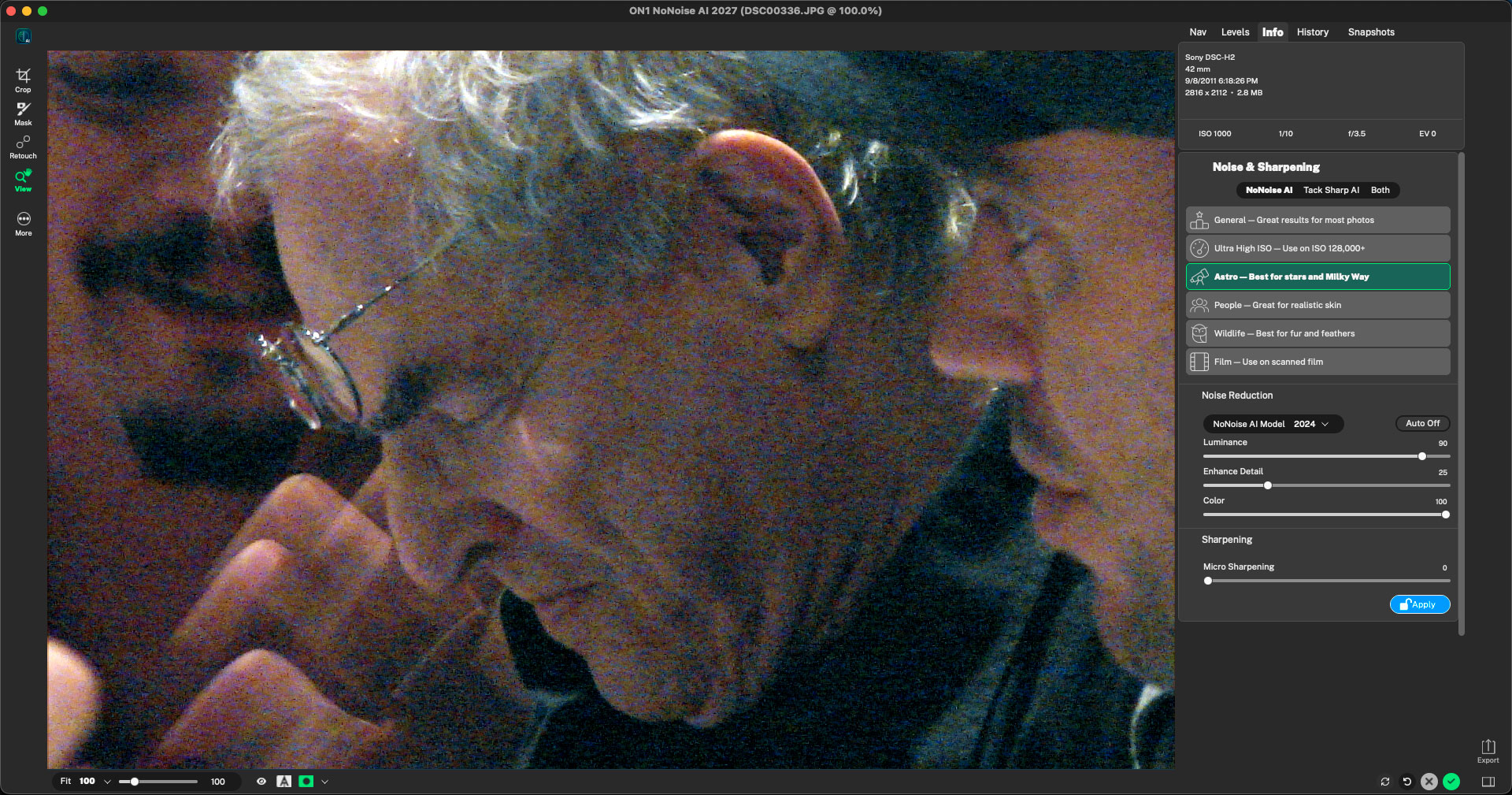
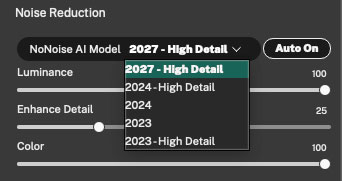
NoNoise AI 2027 offers not only 2027 but also includes 2024 and 2023 models, so you have multiple options for applying noise reduction to your images. In this case, even though I shot this candid at ISO 1000, 2024’s Ultra High ISO setting worked best:
Chances are you were shooting on film long before digital came along and have tons of grainy scanned images stashed away on hard drives (I do!). Here are a few examples of my 1990s images getting the NoNoise spa treatment:
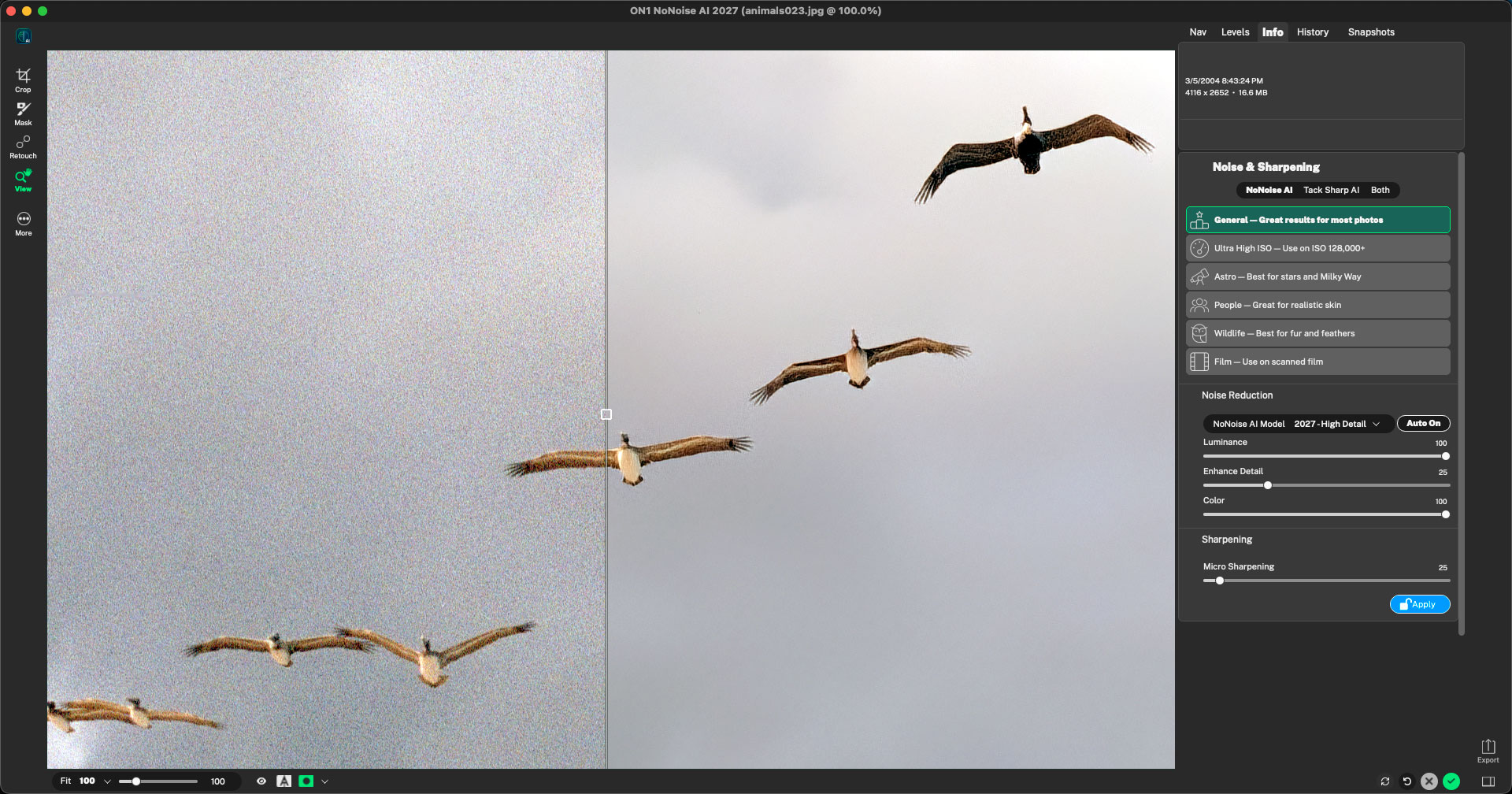
The seagulls were treated with default (Auto On) settings, General>2027:
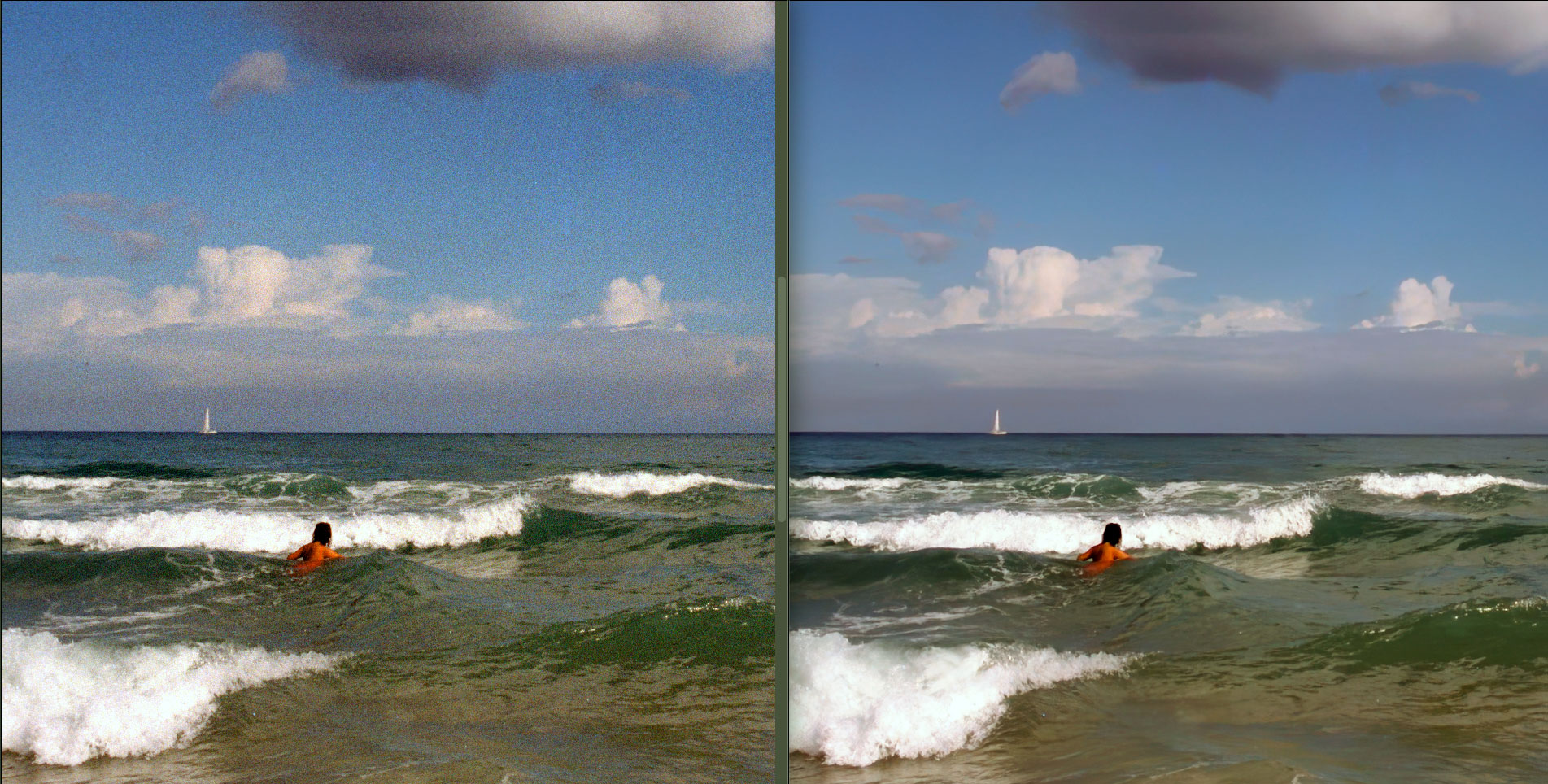
This Florida beach scene from the same shoot also greatly benefits from a modern cleanup, as seen side-by-side in Photoshop:
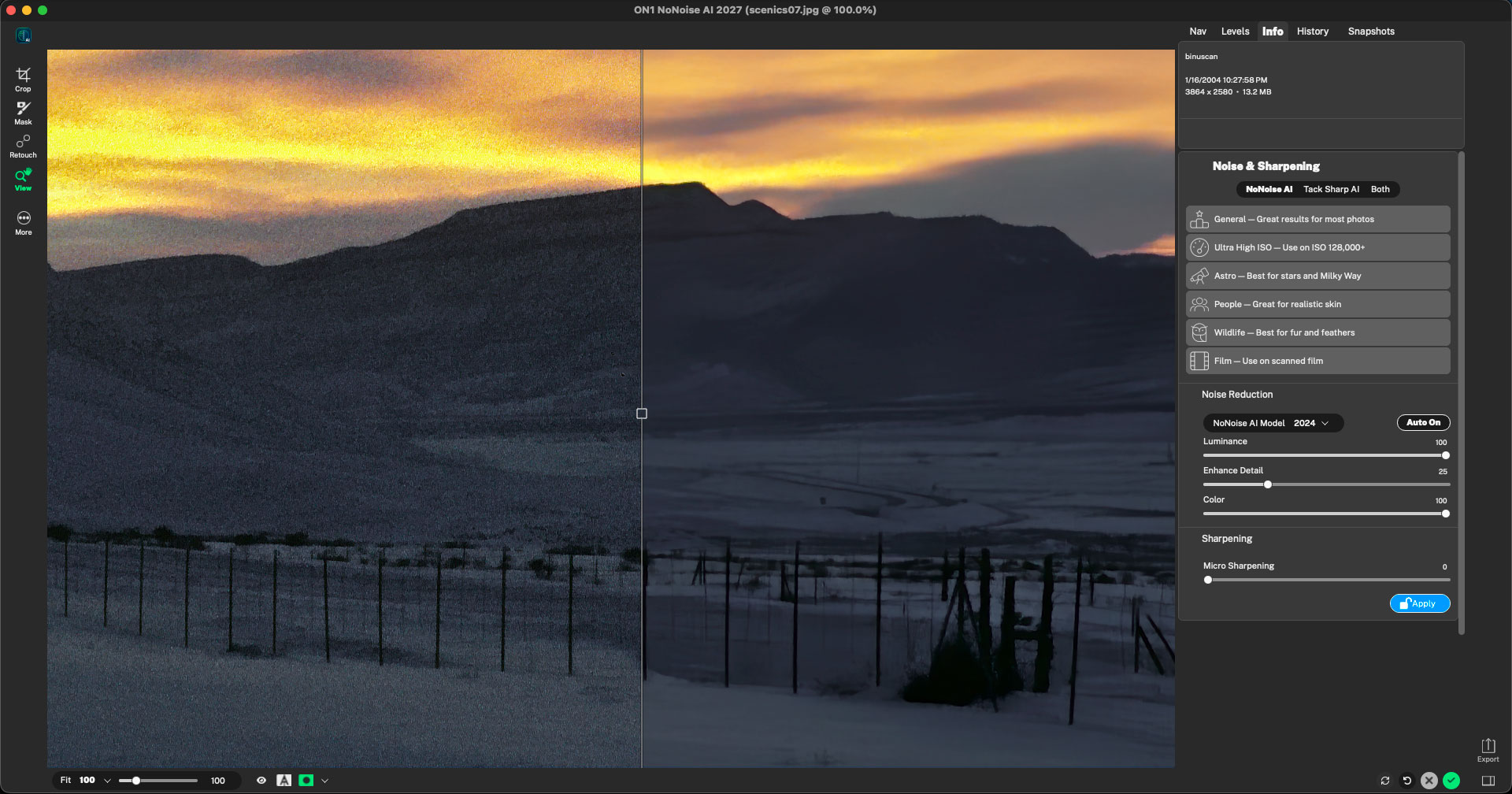
In the case of this Colorado winter evening scenic, a 2024 model best stripped out the “sandstorm” and quieted the scene:
What’s New in NoNoise AI 2027:
Improved Noise Reduction models
The AI models that power the noise reduction have been dramatically improved. They reduce
more noise while maintaining a natural look with less artifacts.
Improved Tack Sharp models
The state of the art deblurring AI models for Tack Sharp have been improved to reduce noise
and artifacts.
New Noise Reduction model selector
NoNoise AI offers a range of AI models developed over time. Some models excel at different
subject matters or scenes. The new model selector makes it easier to pick the best model for
your photo, whether it’s wildlife, people, astro, or scanned film, giving you the best results.
Improved AI Inference Engine
Windows users will experience significant performance gains with the overhauled AI Inference
Engine. By leveraging vendor-specific hardware capabilities, this update provides a substantial
boost on compatible hardware. We expect continued progress as manufacturers release and
refine their execution providers.
Subject & Background Masks
The new automatic subject and background masks simplify the most common masking subjects.
Now in a single button press you can create beautiful, highly accurate masks for your subject or
the background, so you can use different noise reduction models and settings for different parts
of your photo.
Masking Layers
Masking now works like layers. You can use multiple masks and masking tools for any layer,
adjustment, or filter. You can independently control each mask layer and even how they
combine to add, subtract, or intersect with the masks below it. This gives you unparalleled
flexibility and control.
Improved Mask Quality
We have worked hard to improve the quality of the masks generated by AI. This includes depth
masks, Quick Mask AI, and Mask AI. These masks are now more accurate along the edges,
even for tough stuff like hair and tree branches.
Depth Masks
Selectively blend or apply adjustments based on depth in your scene. Power AI models can
infer the depth in a scene, even with landscape photos. This allows you to add an effect like lens
blur that varies naturally throughout the scene, or make it darker the farther you get from the
camera. It adds a layer of control and realism that hasn’t existed before.
Automatic Distraction Removal
The new automatic distraction removal can detect and remove sensor dust and power lines in
your photos, saving you a ton of retouching time.
Generative Expand
Content aware crop has been improved with generative AI. This allows it to expand the canvas
much larger with realistic extensions, containing details not in the original photo when needed.
Generative Erase
The next-generation of the Perfect Eraser now uses the power for generative AI to remove even
large distractions like people or cars from photos while seamlessly filling the voided area with
realistic details.
JPG-XL Support
Now, you can view, edit, and export the new state-of-the-art JPG-XL format. It’s like a JPG but
can create smaller files, support 16-bit, and transparency. It can even save losslessly.
Improved DNG Support
We have updated the support for DNG files, improving compatibility with the latest format
options, including JPG-XL compression.
Auto Crop & Level
With the push of a button, you can crop and level your photo to your desired aspect ratio. It
respects the subject and does its best to maintain the composition. You can use it to fast
forward cropping or apply it to a batch of photos for faster production.
Improved Rendering Engine
We have modernized our graphics rendering engine to utilize the most recent platform-specific
GPU technologies. You will notice faster performance when working with complex stacks and
numerous masks. This foundational shift also allows for better optimization across different GPU
manufacturers while increasing overall stability.
Grayscale Support
You have been asking for it. Now NoNoise AI supports grayscale color mode when opening
photos. If you have old scans and photos you recorded in grayscale you can now view and edit
them just like any other photos.
Native support for Windows ARM
NoNoise AI now includes native support for Windows on ARM processors.
Component Manager Enhancements
Modern applications rely on frequently updated assets like AI models, camera profiles, and
presets. Our improved component manager now handles these updates more reliably and
seamlessly in the background, ensuring you stay current without manual intervention.
Export Improvements
We have made export faster as well as made presets easier to use.
Support for Latest RAW files
Canon EOS R1
Canon EOS R5 Mark II
Canon EOS R50 V
Canon EOS R6 III
Canon Powershot V1
Fuji GFX-100RF
FujiFilm X-E5 Fujifilm X-M5
Fujifilm X-T30 III
GoPro HERO 13 Black
GoPro Mission 1 Pro
Leica M EV1
Leica Q3 43
Leica SL3-P
Nikon Coolpix P1100
Nikon Z 5 II
Nikon Z50 II
OM System OM-3
OM System OM-5 II
Panasonic DMC-G70
Panasonic Lumix DC-G97
Panasonic Lumix DC-L10
Panasonic Lumix DC-S1II
Panasonic Lumix DC-S1IIE
Panasonic Lumix DC-S1RII
Panasonic Lumix DC-TZ202D
Panasonic Lumix DC-ZS99/TZ99
Panasonic Lumix DMC-GX7MK2
Panasonic Lumix S5D
Ricoh GR IV
Sigma BF
Sony a1 II
Sony a7R VI (High Quality compression not currently supported)
Sony Alpha 6400A
Sony DSC-RX100M7A
Sony FX 30
Sony FX2
Sony RX10 V
Sony RX1R III
Sony ZV-E10 II
What’s New in Photo RAW 2027:
Photo RAW 2027 sharpens image quality with a stronger RAW engine and a rebuilt NoNoise AI, speeds up AI-powered tools throughout the app, and makes everyday editing easier with a redesigned masking experience and a smarter Culling Assistant. And moving up from 2026 is effortless: same catalog, same presets, same workflow, just better.
Everything it takes to edit like a pro, right from day one.
From your first edit, you get a smarter NoNoise AI for cleaner detail in low light, a new Culling Assistant (in MAX) that sorts a shoot in minutes, and a stronger RAW processing engine for richer color and more natural shadows and highlights straight out of the camera. A more capable Brilliance AI gets you there with less manual work, and a simplified masking experience makes selective edits work the way you’d expect. Add a faster way to compare your shots side by side, and a refreshed workspace, and you have everything it takes to leave subscriptions behind for good.
More detail, more control, straight from RAW.
See richer color and better contrast straight out of the camera, with more natural shadows and highlights, and fine highlight detail preserved even in your toughest scenes.
Cleaner detail in every shot you take.
Even your toughest low-light and high-ISO shots come out clean, with natural-looking detail instead of the smoothed-over, waxy look heavy noise reduction usually produces. Soft or slightly out-of-focus shots sharpen back up with Tack Sharp deblurring, and you choose the model built for what you actually shot: wildlife, portraits, astrophotography, or macro. Photo RAW 2027 includes the new NoNoise AI 2027 built in.
Cull your shoot in minutes.
In Photo RAW MAX 2027, you can find similar groups, spot closed eyes and out-of-focus shots before they make your final selection, and move through large batches with ease. The Culling Assistant lives beside your grid, so a shoot goes from card to selects without leaving Browse. Click a marker on the window to open a step.
Less manual work, more natural results.
In version 2027, Brilliance AI delivers more natural automatic enhancements across a wider range of photo styles and genres, so you start with less manual adjustment.
Masking that works the way you expect.
Apply masks consistently across layers, Effects filters, and local adjustments. Preview a mask instantly on hover, then adjust, mask, and blend right in place, without switching panes to get there.
Edit comfortably, day or night.
In version 2027, you can switch between light and dark, whichever is easier on your eyes for the session you’re in. The preview below is live: flip the toggle and the app UI changes with it. Drag inside the window to pan around.
And several other smaller changes that add up to a smoother day of editing…